




Computer networking is one of the most important technologies behind the modern digital world. Whenever you browse a website, send an email, stream a video, share a file, use a cloud application, or connect your smartphone to Wi-Fi, computer networking is working in the background.
For beginners, networking can seem complicated because it involves many technical terms such as IP addresses, routers, switches, protocols, servers, DNS, and firewalls. However, the basic idea is actually simple: computer networking allows two or more devices to communicate and share information with each other.
This beginner’s guide explains what computer networking is, how it works, the different types of networks, important networking devices, common protocols, network security, and why networking is so important today.
What Is Computer Networking?
Computer networking is the process of connecting computers, smartphones, servers, printers, and other digital devices so they can communicate and exchange data.
A network can be very small, such as two computers connected together, or extremely large, such as the global network that makes up the internet.
For example, when you connect your laptop to your home Wi-Fi, your laptop becomes part of a local network. It can communicate with your wireless router, printer, smartphone, smart TV, and other connected devices.
A business may have hundreds or thousands of computers connected through wired and wireless networks. These devices can share internet access, files, applications, printers, databases, and other resources.
In simple terms:
Computer networking = connecting devices so they can communicate and share resources.
How Does Computer Networking Work?
Computer networking works by allowing devices to exchange data through wired or wireless connections.
When you perform an action such as opening a website, several networking processes happen within seconds.
Suppose you enter a website address into your browser. Your computer first needs to determine where that website is located. A DNS service can translate the website’s domain name into an IP address.
Your device then sends data through your local network to a router. The router forwards the information toward the destination server through other networks.
The website’s server receives the request, processes it, and sends the requested information back. Your computer receives the data and your browser displays the webpage.
This entire process happens very quickly.
Networking depends on several components working together, including:
- Network devices
- Transmission media
- IP addresses
- Networking protocols
- Routers and switches
- Servers and clients
- Network security systems
Main Components of a Computer Network
A computer network consists of several important components. Understanding these components makes networking much easier for beginners.
1. Network Devices
Network devices connect computers and control how data moves between them.
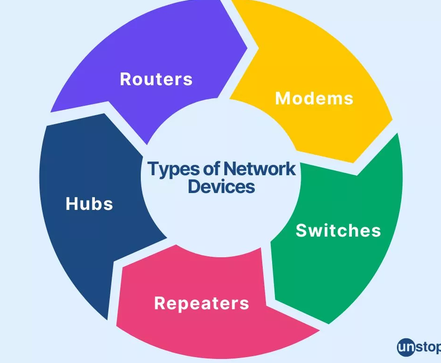
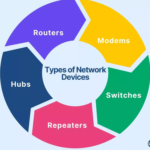
Common devices include:
- Routers
- Switches
- Modems
- Wireless access points
- Network interface cards
- Firewalls
- Hubs
Each device has a specific purpose.
2. Transmission Media
Transmission media is the method used to carry data from one device to another.
There are two major categories:
Wired media: Ethernet cables, fiber-optic cables, and other physical connections.
Wireless media: Wi-Fi, Bluetooth, cellular networks, radio signals, and other wireless technologies.
3. Network Protocols
Protocols are rules that determine how devices communicate.
Examples include TCP, IP, HTTP, HTTPS, DNS, FTP, and DHCP.
Without common communication rules, different devices would have difficulty understanding each other.
4. Network Addresses
Devices on a network need addresses so that data can be delivered to the correct destination.
IP addresses identify devices or network interfaces using the Internet Protocol.
A typical IPv4 address looks like:
192.168.1.10
Other addressing systems, such as IPv6, are also used to support the growing number of internet-connected devices.
What Is a Network?
A network is a group of connected devices that can communicate with each other.
For example, imagine a small office containing:
- Five computers
- Two printers
- One server
- Several smartphones
- One router
- One network switch
If these devices are connected and configured properly, they form a computer network.
The users might be able to share files, print documents, access applications, communicate with the server, and use the internet.
Networks can be categorized based on their size, geographical coverage, purpose, and design.
Types of Computer Networks
There are several common types of computer networks.
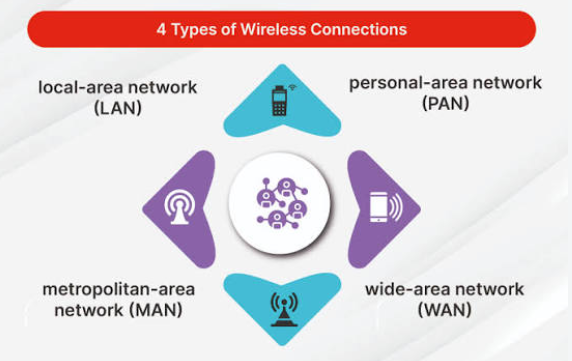
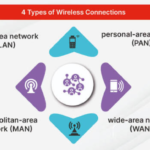
Local Area Network (LAN)
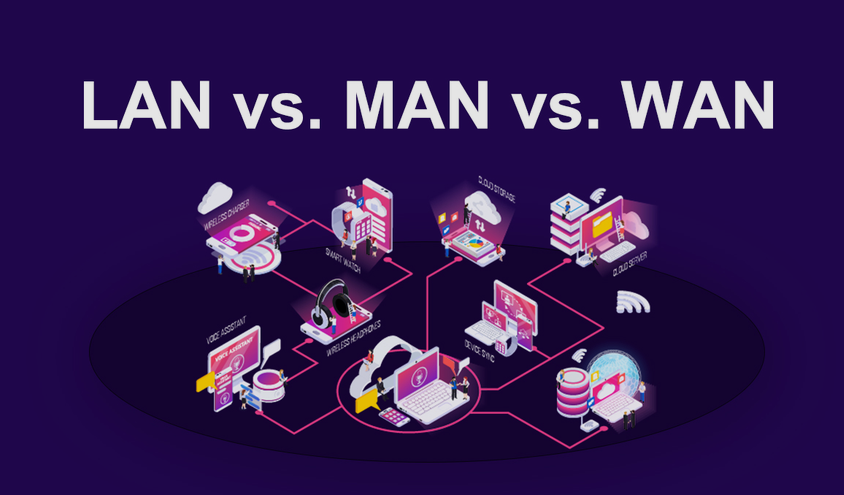
A Local Area Network, commonly called a LAN, connects devices within a relatively small geographical area.
Examples include:
- Home networks
- School computer labs
- Small offices
- Computer rooms
- Business buildings
A LAN usually provides high-speed communication between connected devices.
For example, your home Wi-Fi network is generally considered a LAN.
Wide Area Network (WAN)
A Wide Area Network connects networks across large geographical areas.
A WAN can connect offices in different cities, countries, or even continents.
Businesses often use WAN technologies to connect branch offices with headquarters.
The internet is the world’s largest example of interconnected networks operating across enormous geographical distances.
Metropolitan Area Network (MAN)
A Metropolitan Area Network covers an area larger than a LAN but smaller than a large WAN.
It may connect networks across a city or metropolitan region.
MANs can be used by organizations, universities, government agencies, or service providers to connect multiple locations.
Personal Area Network (PAN)
A Personal Area Network is a small network surrounding an individual.
Bluetooth connections are a common example.
For instance, your smartphone may connect to wireless earbuds, a smartwatch, keyboard, or other nearby devices.
Wireless Local Area Network (WLAN)
A Wireless LAN provides network connectivity without requiring physical Ethernet connections between every device.
Wi-Fi is the most common WLAN technology.
WLANs are popular in homes, offices, restaurants, schools, airports, and public spaces.
Wired vs Wireless Networking
Computer networks can use either wired or wireless connections.
Wired Networking
Wired networks use physical cables to transmit data.
Ethernet is one of the most common wired networking technologies.
Advantages include:
- Reliable connections
- Consistent performance
- High speeds
- Lower interference
- Better control in many environments
Wired networking is especially useful for desktop computers, servers, gaming systems, network storage, and business infrastructure.
Wireless Networking
Wireless networking uses radio signals instead of physical network cables.
Wi-Fi is the most common example.
Advantages include:
- Easy installation
- Mobility
- Fewer cables
- Convenient device connectivity
- Easy expansion
However, wireless networks can experience interference, signal limitations, and security risks if they are poorly configured.
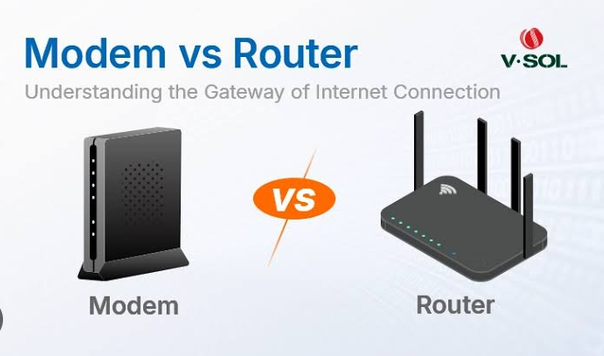
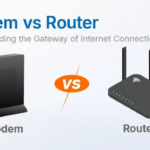
What Is a Router?
A router is a networking device that connects different networks and determines where data should go.
For example, your home router connects your local home network to your internet service provider’s network.
When your laptop sends a request to a website, the router helps forward that traffic toward its destination.
Modern home routers often combine several functions into one device. They may provide:
- Routing
- Wi-Fi
- Ethernet connections
- DHCP services
- Basic firewall protection
- Network address translation
This is why the device provided by an internet service provider is often called a router even though it performs several networking functions.
What Is a Network Switch?
A network switch connects multiple devices within a network.
For example, an office might have 30 computers that need to communicate with a server and other network resources. An Ethernet switch can provide physical network connections for these devices.
Switches intelligently forward network traffic to the appropriate connected device instead of simply sending every transmission everywhere.
Switches are especially important in business networks and data centers.
What Is a Modem?
A modem provides communication between your local network and an internet service provider’s infrastructure, depending on the type of internet connection.
The word modem comes from “modulator-demodulator.”
In many modern internet installations, modem and router functions may be combined into a single device.
The exact equipment depends on whether the internet connection uses cable, DSL, fiber, cellular, or another technology.
What Is an IP Address?
An IP address is a numerical address used to identify a device or network interface for Internet Protocol communication.
IPv4 addresses use four numerical sections.
For example:
192.168.0.25
There are also IPv6 addresses, which were developed partly because the world needed a much larger address space.
An IP address helps networking equipment determine where data should be sent.
Private and Public IP Addresses
Private IP addresses are commonly used inside local networks.
Examples include addresses from ranges such as:
- 192.168.x.x
- 10.x.x.x
- 172.16.x.x through 172.31.x.x
A public IP address is generally used for communication across the public internet.
Your home devices may have private IP addresses while your router communicates with the internet using a public IP address assigned by your internet provider.
What Is a MAC Address?
A MAC address is a hardware-level network identifier associated with a network interface.
A device’s Ethernet adapter or Wi-Fi adapter can have a MAC address.
MAC addresses are commonly represented as groups of hexadecimal characters.
For example:
00:1A:2B:3C:4D:5E
IP addresses and MAC addresses serve different purposes. IP addresses are associated with logical network addressing and routing, while MAC addresses are used at the local network level for communication between network interfaces.
What Is DNS?
DNS stands for Domain Name System.
People prefer easy-to-remember website names rather than numerical IP addresses. DNS helps translate domain names into IP addresses.
For example, instead of remembering a numerical address, you can enter a domain name into your browser.
The DNS system helps your device discover the corresponding server address.
DNS is sometimes described as the “phone book” of the internet because it connects human-friendly domain names with network addresses.
What Are Network Protocols?
Network protocols are standardized rules that define how devices communicate.
Different protocols perform different jobs.
HTTP
HTTP stands for Hypertext Transfer Protocol.
It is used for transferring information between web browsers and web servers.
HTTPS
HTTPS is the secure version of HTTP. It uses encryption to help protect data exchanged between a browser and a website.
HTTPS is widely used for websites, particularly when users enter passwords, payment information, or other sensitive data.
TCP
TCP stands for Transmission Control Protocol.
It provides reliable, ordered delivery of data between devices.
TCP can detect certain transmission problems and retransmit lost information.
IP
IP stands for Internet Protocol.
IP is responsible for addressing and routing packets between networks.
TCP and IP are often discussed together as TCP/IP because they work together as fundamental parts of internet communication.
FTP
FTP stands for File Transfer Protocol.
It was designed for transferring files between computers. Modern systems often use more secure alternatives when appropriate.
DHCP
DHCP stands for Dynamic Host Configuration Protocol.
It can automatically provide network configuration information such as IP addresses to devices joining a network.
What Are Data Packets?
When information travels across a network, it is typically divided into smaller units called packets.
Imagine sending a large book through a delivery system. Instead of sending the entire book as one enormous object, it could be divided into smaller packages.
Networking works in a similar conceptual way.
A large amount of digital information can be broken into smaller pieces. These packets contain information that helps networking equipment and receiving systems process and deliver the data.
After reaching the destination, the information can be reconstructed into the original data.
What Is Bandwidth?
Bandwidth describes the capacity of a network connection to transfer data over a period of time.
It is commonly measured in:
- Bits per second
- Megabits per second (Mbps)
- Gigabits per second (Gbps)
For example, a connection advertised at 500 Mbps has a theoretical bandwidth of 500 megabits per second.
Bandwidth is not exactly the same as actual speed. Real-world performance can be affected by network congestion, hardware, Wi-Fi conditions, server performance, and other factors.
What Is Network Latency?
Latency is the delay involved in sending data from one point to another.
Low latency is particularly important for activities such as:
- Online gaming
- Video calls
- Remote desktop applications
- Financial systems
- Real-time communication
A connection can have high bandwidth but still experience noticeable latency.
For example, downloading a large file may benefit from high bandwidth, while an online multiplayer game may be especially sensitive to latency.
What Is a Firewall?
A firewall is a security system that monitors and controls network traffic according to defined rules.
Firewalls can help block unauthorized connections while allowing legitimate communication.
They may be implemented as:
- Hardware devices
- Software applications
- Cloud-based security services
- Features within routers
Businesses commonly use multiple layers of network security to protect systems and data.
Network Security Basics
Network security is essential because connected devices can be targeted by attackers.
Common network security practices include:
Use Strong Passwords
Use unique, difficult-to-guess passwords for routers, accounts, and network systems.
Secure Wi-Fi
Modern wireless security standards should be used when supported by your equipment.
Avoid leaving a wireless network completely open unless there is a specific reason to do so.
Update Network Devices
Routers, switches, access points, computers, and other network devices can contain software vulnerabilities. Keeping firmware and software updated can reduce security risks.
Use Firewalls
Firewalls can help restrict unauthorized network traffic.
Encrypt Sensitive Communication
Encryption helps protect information while it travels across networks.
Monitor Network Activity
Organizations can use monitoring systems to identify unusual traffic, unauthorized devices, and potential security incidents.
Client-Server Networking
One common networking model is client-server architecture.
In this model, clients request services or information, while servers provide them.
For example, when you open a website, your browser acts as a client and communicates with a web server.
Other examples include:
- Email servers
- File servers
- Database servers
- Application servers
- Game servers
- Cloud servers
This model makes it easier for organizations to centralize applications, data, and resources.
Peer-to-Peer Networking
Peer-to-peer networking allows devices to communicate more directly without depending entirely on a central server.
Each participating computer may provide and receive resources.
Peer-to-peer networking can be useful for certain file-sharing and distributed applications.
However, larger organizations often prefer centralized architectures because they provide greater control over security, management, authentication, and resources.
What Is a Network Topology?
Network topology describes how devices are arranged and connected.
Common topologies include:
Star Topology
In a star topology, devices connect to a central device, such as a switch.
This is very common in modern Ethernet networks.
Bus Topology
Devices share a common communication path.
Bus topology was historically used in some older network designs but is much less common in modern networks.
Ring Topology
Devices are connected in a circular arrangement.
Data can travel around the ring depending on the technology and design.
Mesh Topology
Devices have multiple connections to other devices.
Mesh designs can provide redundancy because data may have alternative paths if one connection fails.
Why Is Computer Networking Important?
Computer networking is essential to modern life and business.
It allows people and organizations to:
- Access the internet
- Share files
- Communicate online
- Use cloud applications
- Share printers
- Access databases
- Stream media
- Conduct online meetings
- Manage businesses remotely
- Connect smart devices
- Store and access data
- Support online services
Without networking, many modern digital services would not function.
Computer Networking in Everyday Life
You interact with networks almost constantly.
When you use a smartphone to watch a video, networking connects your device to internet infrastructure.
When you send a message through an online communication application, networking carries information between your device and the service’s infrastructure.
When you use a smart TV, wireless printer, smartwatch, or smart home device, networking enables communication.
Even automatic software updates depend on network connectivity.
Computer Networking in Business
Businesses rely heavily on networking infrastructure.
A company network can connect employees to:
- Internal applications
- Shared storage
- Printers
- Databases
- Cloud services
- Communication platforms
- Security systems
- Internet services
Large companies may operate complex networks across multiple offices, data centers, and cloud environments.
Network administrators are responsible for designing, configuring, monitoring, and maintaining these systems.
Benefits of Computer Networking
Computer networking provides many benefits.
Resource Sharing
Multiple users can share printers, storage, applications, and internet connections.
Communication
Networks allow employees, customers, and organizations to communicate quickly.
Centralized Management
Businesses can manage users, applications, security systems, and data from centralized infrastructure.
Improved Collaboration
Teams can work together using shared files, cloud platforms, video conferencing, and collaboration tools.
Remote Access
Networks make it possible for authorized users to access systems and resources from different locations.
Scalability
Organizations can expand their networks as they add more employees, offices, servers, and devices.
Common Networking Problems
Networks can sometimes experience technical problems.
Common issues include:
- Slow internet
- Weak Wi-Fi signals
- Incorrect IP configuration
- DNS problems
- Damaged network cables
- Router failures
- Network congestion
- Authentication problems
- Firewall configuration errors
- Hardware failures
Basic troubleshooting usually starts by checking physical connections, restarting affected equipment, checking network configuration, testing connectivity, and identifying whether the problem affects one device or the entire network.
How to Learn Computer Networking
Beginners should learn networking step by step rather than trying to understand everything at once.
Start with basic concepts such as:
- What a network is
- LAN and WAN
- IP addresses
- Routers and switches
- DNS and DHCP
- TCP/IP
- Ports
- Network security
- Wireless networking
- Network troubleshooting
After learning the fundamentals, you can explore more advanced subjects such as routing, subnetting, VLANs, VPNs, network monitoring, cloud networking, and network automation.
Hands-on practice is extremely useful. You can create a small home lab using computers, virtual machines, or network simulation software to understand how different components work together.
Computer Networking Careers
Networking knowledge can lead to several technology careers.
Common roles include:
- Network Technician
- Network Administrator
- Network Engineer
- Network Security Specialist
- Systems Administrator
- Cloud Network Engineer
- IT Support Specialist
- Cybersecurity Professional
Professionals in these roles may design networks, troubleshoot connectivity problems, configure equipment, monitor traffic, implement security controls, and maintain network infrastructure.
Future of Computer Networking
Computer networking continues to evolve as more devices and applications become connected.
Cloud computing, artificial intelligence, Internet of Things devices, remote work, 5G and newer wireless technologies, edge computing, and increasingly sophisticated cybersecurity systems are influencing network design.
Modern networks are becoming more automated and software-driven. Organizations increasingly use cloud-based infrastructure and intelligent monitoring tools to manage large environments.
The growth of connected devices also means that network security will remain an important area of technology.
Final Thoughts
Computer networking is the foundation that allows modern digital devices and services to communicate. From a simple home Wi-Fi connection to massive global internet infrastructure, networking connects people, computers, servers, applications, and devices.
For beginners, the most important concepts to understand are networks, IP addresses, routers, switches, protocols, DNS, data packets, bandwidth, latency, and network security.
Once these fundamentals are clear, more advanced networking concepts become much easier to understand.