




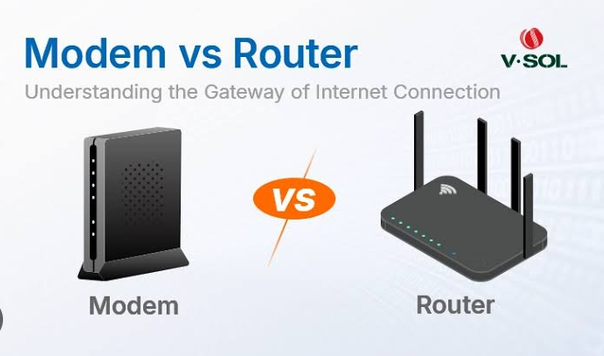
When setting up an internet connection at home or in the office, you will often hear two important terms: modem and router. These devices are essential parts of many internet networks, but they perform different jobs. Because they are sometimes combined into a single device, it is easy for beginners to think that a modem and router are the same thing.
They are not.
A modem connects your network to your internet service provider (ISP), while a router manages the connection between your local devices and the network. In simple terms, the modem brings internet service into your home, and the router distributes that connection to computers, smartphones, TVs, gaming consoles, and other devices.
Understanding the difference between a modem and a router can help you choose the right networking equipment, troubleshoot internet problems, improve your Wi-Fi network, and understand how your home internet connection works.
What Is a Modem?
A modem is a networking device that connects your home or office network to your internet service provider. The word modem comes from modulator-demodulator, describing how the device converts signals between forms that networking equipment and communication lines can understand.
Your ISP delivers internet service through a particular type of connection, such as cable, DSL, fiber, or another broadband technology. The modem acts as a bridge between that service and your local network.
For example, with a cable internet connection, the ISP sends data through a coaxial cable. The modem receives that signal and converts it into a form that your network equipment can use.
Without a suitable modem or modem-like device, a traditional broadband connection cannot communicate properly with the ISP.
What Does a Modem Do?
The primary job of a modem is to establish communication between your local network and your ISP.
A modem generally performs several important functions:
1. Connects to Your ISP
The modem connects directly to the internet service provided by your ISP. Depending on your service, the connection might use a coaxial cable, telephone line, fiber connection, or another technology.
2. Converts Signals
Different internet technologies use different types of signals. The modem converts incoming signals into digital network data that your networking equipment can understand.
It also performs the reverse process when your devices send information toward the internet.
3. Provides Internet Access
A modem gives your local network a pathway to your ISP. However, a basic modem does not necessarily provide Wi-Fi or manage multiple devices.
This is where the router becomes important.
What Is a Router?
A router is a networking device that connects multiple devices to a network and directs data between them.
In a typical home network, the router receives an internet connection from the modem and distributes it to devices such as:
- Smartphones
- Laptops
- Desktop computers
- Smart TVs
- Gaming consoles
- Printers
- Security cameras
- Smart home devices
- Tablets
A router can provide both wired and wireless connections. A wireless router creates a Wi-Fi network that allows compatible devices to connect without Ethernet cables.
What Does a Router Do?
A router has several important responsibilities.
1. Shares the Internet Connection
A modem may provide an internet connection to one networking device, but a router allows many devices to share that connection.
For example, your laptop might be browsing a website while your smartphone streams a video and your smart TV watches an online service. The router manages traffic between all of these devices.
2. Creates a Local Network
The router creates and manages your home or office local network.
Devices connected to the router can communicate with each other when appropriate. For example, a computer can communicate with a network printer without sending the print data across the public internet.
3. Provides Wi-Fi
Most modern home routers include wireless functionality. They broadcast a Wi-Fi signal that allows phones, laptops, tablets, and other wireless devices to connect.
4. Assigns IP Addresses
Routers commonly use DHCP, or Dynamic Host Configuration Protocol, to automatically assign private IP addresses to devices on the local network.
For example, your router might assign different local addresses to your laptop, smartphone, and smart TV.
5. Directs Network Traffic
The router examines network information and determines where data should go.
If your laptop requests information from a website, the router helps send the request toward the internet and ensures that the returning data reaches the correct device.
6. Provides Network Security
Modern routers often include security features such as firewalls, access controls, guest networks, and traffic-management options.
These features help protect your local network from unwanted connections and certain types of network threats.
Modem vs Router: The Main Difference
The simplest way to understand the difference is:
The modem connects your home to your ISP, while the router connects your devices to each other and shares the internet connection.
Think of your internet connection as a highway.
The modem is like the entrance connecting your property to the highway.
The router is like a traffic controller inside your property, directing vehicles to different destinations.
The modem communicates with the ISP, while the router manages the devices inside your local network.
Router vs Modem Comparison
| Feature | Modem | Router |
|---|---|---|
| Connects to ISP | Yes | Usually through modem |
| Creates local network | Usually no | Yes |
| Provides Wi-Fi | Usually no | Usually yes |
| Connects multiple devices | Limited | Yes |
| Assigns local IP addresses | Usually no | Yes |
| Manages local traffic | Limited | Yes |
| Common security features | Limited | Yes |
| Main purpose | Internet connection | Network management |
How a Modem and Router Work Together
In a traditional home network, the modem and router work as a team.
The basic connection looks like this:
ISP → Modem → Router → Your Devices
Imagine that you open a website on your laptop.
First, your laptop sends a request through Wi-Fi or an Ethernet cable to the router.
The router determines where the request needs to go and sends it toward the modem.
The modem communicates with the ISP and sends the data toward the internet.
When the website responds, the information travels back through the ISP to the modem.
The modem passes the information to the router.
The router identifies which device requested the information and sends the data to your laptop.
This process happens extremely quickly, often within fractions of a second.
What Happens If You Only Have a Modem?
If you connect a computer directly to a modem, you may be able to access the internet, depending on your ISP and modem configuration.
However, this setup has limitations.
You generally cannot easily connect many devices through a basic modem. You may also lack the Wi-Fi functionality and network-management features provided by a router.
A direct modem-to-computer connection can sometimes be useful for troubleshooting because it removes the router from the equation. However, it is usually not the best setup for a modern household with multiple connected devices.
What Happens If You Only Have a Router?
A standard router generally cannot replace a modem when your ISP requires a separate modem.
A router can create a local network and provide Wi-Fi, but it still needs an internet connection from somewhere.
If you connect a normal router to an inactive Ethernet cable without an upstream internet connection, the router can still create a local network, but your devices will not have access to the public internet.
There are exceptions, however. Some modern networking devices include modem functionality, and certain internet technologies use equipment that combines several networking functions.
What Is a Modem-Router Combo?
Many ISPs provide a device that combines a modem and router into one unit. This is commonly called a modem-router combo, gateway, or gateway device.
Instead of having two separate boxes, one device performs both major jobs.
The basic structure becomes:
ISP → Modem/Router Gateway → Devices
These devices can be convenient because they require fewer cables and less physical space.
They can also simplify installation and technical support.
However, separate devices can provide greater flexibility for users who want advanced networking features or want to upgrade their router without replacing the modem.
Advantages of a Separate Modem and Router
Using separate devices can have several advantages.
Easier Upgrades
You can upgrade your router without replacing your modem if your internet service and modem remain compatible.
For example, if you want a newer Wi-Fi standard, you may be able to purchase a modern router while keeping your existing modem.
More Features
Dedicated routers often provide more advanced features than basic ISP gateways.
Depending on the model, features can include:
- Advanced parental controls
- Guest networks
- VPN support
- Quality of Service
- Better Wi-Fi management
- Multiple Ethernet ports
- Mesh networking support
- Advanced firewall controls
Better Placement
A separate router can sometimes be positioned in a better location for Wi-Fi coverage, while the modem remains near the ISP connection.
This can be particularly useful in larger homes.
Advantages of a Modem-Router Combo
A combined device can also be a good choice, especially for beginners.
Simple Setup
You only need to configure one main device instead of managing two separate devices.
Fewer Cables
A combo unit reduces the number of power adapters and Ethernet cables required.
Less Equipment
If you have limited space, a single gateway can be more convenient than having separate modem and router units.
Easier ISP Support
When the ISP provides the gateway, its technical support team may be more familiar with the equipment.
How a Router Manages Multiple Devices
One of the most important jobs of a router is managing multiple devices at the same time.
Suppose your home has:
- Two smartphones
- One laptop
- One desktop computer
- One smart TV
- Two security cameras
- One gaming console
All of these devices may use the same internet connection.
The router keeps track of the devices on your local network and manages the traffic moving between them and the internet.
A technology called Network Address Translation (NAT) is commonly used by routers to allow multiple private devices to share a public internet connection.
This means many devices in your home can use private local addresses while communicating with internet services through the network’s public-facing connection.
Wired Router Connections
Routers commonly include Ethernet ports for wired connections.
Ethernet can provide several advantages, including:
- Stable connections
- Low latency
- Reliable performance
- High speeds
- Less interference than wireless connections
Gaming PCs, desktop computers, smart TVs, network storage systems, and other devices can benefit from Ethernet.
A typical router may have multiple LAN ports for connecting wired devices.
Wireless Router Connections
Wireless routers provide Wi-Fi connectivity.
Instead of connecting a device with an Ethernet cable, your smartphone or laptop communicates with the router using radio signals.
Modern Wi-Fi networks can support many devices simultaneously and can provide high speeds under suitable conditions.
However, wireless performance depends on several factors, including:
- Distance from the router
- Walls and floors
- Interference
- Number of connected devices
- Router capabilities
- Device capabilities
- Network congestion
This is why placing your router in a suitable central location can make a noticeable difference.
Modem Types
Different types of internet connections use different modem technologies.
Cable Modems
Cable modems are designed for broadband internet delivered through coaxial cable networks.
They are commonly used with cable internet services.
DSL Modems
DSL modems use telephone lines to provide internet connectivity.
DSL technology includes different forms, such as ADSL and VDSL.
Fiber Equipment
Fiber-optic internet works differently from traditional cable or DSL services.
A fiber connection commonly uses an optical network terminal (ONT) or similar equipment rather than a traditional cable modem.
The ONT converts the optical signal into an Ethernet connection that can be connected to a router.
Cellular Modems
Some networking equipment uses cellular networks instead of cable, DSL, or fiber.
These devices connect to mobile networks using technologies such as 4G or 5G.
They can be useful where traditional wired broadband is unavailable.
Router Types
There are also several categories of routers.
Standard Home Routers
These are designed for typical homes and small offices. They generally provide Wi-Fi, Ethernet ports, DHCP, NAT, and basic security features.
Gaming Routers
Gaming-oriented routers may include traffic-prioritization features designed to reduce latency or prioritize gaming traffic.
However, a gaming router does not automatically make an internet connection faster. Its benefits depend on the network and how its features are configured.
Mesh Routers
Mesh systems use multiple network nodes to provide broader Wi-Fi coverage.
They are useful for larger homes where a single router may not provide sufficient coverage.
Business Routers
Business routers typically provide more advanced networking, security, management, and configuration capabilities.
They may support larger numbers of users and more complex network designs.
Why Your Internet Can Be Slow Even With a Fast Router
Buying an expensive router does not automatically guarantee faster internet.
Your overall internet performance can be limited by several factors.
Internet Plan
Your ISP plan determines the maximum service speed available from the internet connection.
A router cannot turn a low-speed internet plan into a high-speed one.
Modem Compatibility
An outdated or incompatible modem may prevent you from receiving the performance available from your internet service.
Wi-Fi Signal
A weak wireless signal can reduce performance even when the internet connection itself is fast.
Device Limitations
Older smartphones, laptops, or wireless adapters may not support the latest Wi-Fi technologies or speeds.
Network Congestion
Many devices using bandwidth simultaneously can affect performance.
For example, downloading a large file while several devices are streaming high-resolution video can consume substantial bandwidth.
Which Should You Upgrade First: Modem or Router?
The answer depends on the problem you are experiencing.
If your modem is outdated, incompatible with your internet plan, frequently disconnecting, or unable to support the speed offered by your ISP, upgrading the modem or ISP-provided gateway may be appropriate.
If your internet connection works well near the modem but Wi-Fi is weak in other rooms, the router or Wi-Fi system may be the more important upgrade.
If your router is several generations old, replacing it with a newer model can provide better wireless performance, security, coverage, and device support.
Before purchasing equipment, check compatibility with your ISP.
How to Troubleshoot Modem and Router Problems
When your internet stops working, determining whether the problem is the modem, router, or ISP can save time.
Step 1: Check the Modem
Look at the modem’s status lights.
If the modem cannot establish a connection with the ISP, the issue may be related to the ISP service, incoming connection, or modem.
Step 2: Check the Router
If the modem appears to be connected but your devices cannot access the internet, the router may be experiencing a problem.
Step 3: Restart the Equipment
A basic restart can resolve temporary networking problems.
Turn off the modem and router, wait briefly, and then restart the modem first. Once the modem reconnects, restart the router.
Step 4: Test With Ethernet
If Wi-Fi is not working properly, connect a computer directly to the router using Ethernet.
If Ethernet works but Wi-Fi does not, the problem is likely related to the wireless network rather than the internet connection itself.
Step 5: Contact Your ISP
If the modem cannot establish a connection even after basic troubleshooting, the ISP may need to investigate the service.
Can a Router Increase Internet Speed?
A router generally cannot increase the actual internet speed provided by your ISP.
However, upgrading your router can improve real-world performance.
For example, a newer router may provide:
- Better Wi-Fi coverage
- Improved wireless efficiency
- Support for newer Wi-Fi standards
- Better handling of multiple devices
- Improved network management
- More reliable connections
So while the router does not magically increase the bandwidth purchased from your ISP, it can help your devices make better use of that connection.
Can a Modem Provide Wi-Fi?
A traditional modem usually does not provide Wi-Fi.
However, a modem-router combo or gateway can provide both modem and router functionality, including Wi-Fi.
Therefore, when someone says their “modem has Wi-Fi,” they may actually be using a gateway device that combines multiple networking functions.
Do You Need Both a Modem and Router?
If your ISP provides a separate modem connection and you want to connect multiple devices and use Wi-Fi, you typically need both a modem and router.
However, you may not need two physical devices.
A single gateway can combine the functionality of both.
The exact equipment you need depends on your ISP and the type of internet service you have.
Final Thoughts
The difference between a modem and router becomes much easier to understand when you remember their primary jobs.
A modem connects your home or office to your internet service provider, while a router manages the local network and distributes that internet connection to your devices.
The modem handles communication with the ISP, while the router handles communication between your devices and the wider internet. The router can also provide Wi-Fi, assign local IP addresses, manage network traffic, and provide security features.
Many modern homes use a modem-router combo device, making the setup simpler. Others prefer separate equipment because it provides greater flexibility, upgrade options, and advanced networking capabilities.
Understanding these two devices is useful whether you are setting up your first home network, troubleshooting slow Wi-Fi, upgrading your equipment, or simply trying to understand how internet connectivity works.
The easiest rule to remember is:
Modem = connects you to the ISP.
Router = connects and manages your devices.