




Computer networking is one of the most important technologies behind modern digital communication. Every time you browse a website, send a message, watch an online video, share a file, use cloud storage, or connect your smartphone to Wi-Fi, computer networking is working in the background.
A computer network allows devices such as computers, smartphones, servers, printers, routers, and other connected equipment to communicate with each other. Networks can be very small, such as a home Wi-Fi network, or extremely large, such as the global network infrastructure that makes up the internet.
Understanding how computer networking works is useful for students, beginners, IT professionals, business owners, and anyone interested in technology. In this guide, we will explain computer networking in simple terms, including how networks work, major network types, networking devices, communication methods, protocols, and real-world examples.
What Is Computer Networking?
Computer networking is the process of connecting two or more computing devices so they can communicate and share information or resources.
These devices may communicate through wired connections, such as Ethernet cables, or wireless technologies, such as Wi-Fi and Bluetooth.
For example, imagine several computers connected to the same office network. Employees may use that network to:
- Share files
- Access the internet
- Use a shared printer
- Communicate with other computers
- Access company servers
- Use shared applications
- Store information on network storage
A network can contain only a few devices or millions of devices distributed across different locations.
The internet is the largest example of a computer network because it connects networks and devices around the world.
How Does Computer Networking Work?
At a basic level, computer networking works by allowing devices to exchange data using agreed communication rules called protocols.
When one device wants to communicate with another device, the information is broken into smaller units called packets. These packets travel through the network and are eventually reassembled at their destination.
For example, when you open a website:
- You enter a website address in your browser.
- Your device needs to find the server hosting that website.
- A DNS request helps translate the website name into an IP address.
- Your device sends data through your local network.
- Your router forwards the traffic toward the internet.
- Different network devices help direct the packets toward the destination server.
- The server receives the request.
- The server sends the requested information back.
- Your browser receives the packets and displays the website.
This entire process usually happens within seconds or less.
The Basic Components of a Computer Network
A computer network consists of several important components. Each component has a specific role in allowing communication to take place.
1. Network Devices
Network devices are physical or virtual devices that participate in communication. Examples include computers, smartphones, servers, printers, routers, and switches.
2. Transmission Medium
The transmission medium is the path through which data travels.
Common examples include:
- Ethernet cables
- Fiber-optic cables
- Coaxial cables
- Wi-Fi radio signals
- Cellular networks
- Satellite communication
3. Network Protocols
Protocols are rules that define how devices communicate.
Examples include:
- TCP
- IP
- HTTP
- HTTPS
- DNS
- DHCP
- FTP
- SMTP
Without common protocols, devices from different manufacturers would have difficulty communicating reliably.
4. IP Addresses
An IP address identifies a device or network interface on an IP network.
IPv4 addresses look like:
192.168.1.10
IPv6 addresses use a much larger addressing system and may look like:
2001:db8::1
IP addresses help networks determine where data should be delivered.
What Is Data Packetization?
One of the key ideas behind computer networking is packetization.
Instead of sending a large file as one continuous block, networking systems divide data into smaller pieces called packets.
Each packet can contain information such as:
- Source address
- Destination address
- Data
- Protocol information
- Error-checking information
Packets travel through the network and may take different routes depending on network conditions.
At the destination, the receiving system processes the packets and reconstructs the original information.
This approach makes networks more efficient and flexible.
What Is a Network Protocol?
A network protocol is a set of rules used by devices to communicate.
Think of protocols as languages used by computers. Two people need a common language to communicate effectively, and network devices need common protocols to exchange information.
TCP
Transmission Control Protocol, commonly called TCP, provides reliable communication.
It helps ensure that data arrives correctly and in the proper order. If packets are lost or damaged, TCP can request retransmission.
IP
Internet Protocol is responsible for addressing and routing packets.
IP helps determine where packets should go across interconnected networks.
HTTP and HTTPS
HTTP is used for transferring web information between browsers and web servers.
HTTPS provides encrypted communication between the browser and server, helping protect information from interception.
DNS
The Domain Name System converts human-readable domain names into IP addresses.
For example, instead of remembering a numerical IP address, users can type a domain name into their browser.
DHCP
Dynamic Host Configuration Protocol automatically provides network configuration information to devices.
It can assign devices an IP address and provide other settings required to communicate on a network.
Types of Computer Networks
Computer networks can be classified according to their size, geographic coverage, purpose, and architecture.
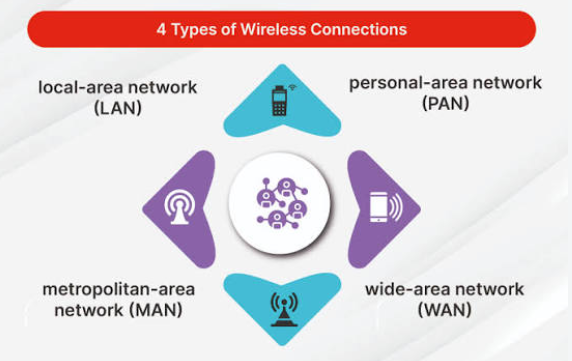
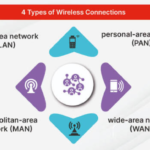
1. Personal Area Network (PAN)
A Personal Area Network is a small network designed around an individual.
Bluetooth connections are a common example.
For instance, you might connect:
- Smartphone
- Wireless headphones
- Smartwatch
- Wireless keyboard
- Wireless mouse
These devices can communicate over short distances.
PANs are generally designed for personal devices rather than large organizations.
2. Local Area Network (LAN)
A Local Area Network connects devices within a relatively limited area.
Examples include:
- Home networks
- School computer labs
- Office networks
- Small business networks
A LAN can use Ethernet cables, Wi-Fi, or a combination of both.
LANs are usually fast and are commonly managed by an organization or household.
3. Wireless Local Area Network (WLAN)
A WLAN is essentially a LAN that uses wireless communication.
Wi-Fi is the most common example.
A home Wi-Fi network may connect smartphones, laptops, smart TVs, gaming consoles, printers, and smart-home devices.
WLANs provide mobility because users can connect without physically attaching Ethernet cables to every device.
4. Metropolitan Area Network (MAN)
A Metropolitan Area Network covers a larger geographic area than a LAN, often across a city or metropolitan region.
Organizations may use MANs to connect multiple buildings or facilities.
For example, a university could use networking infrastructure to connect campuses located across different parts of a city.
5. Wide Area Network (WAN)
A Wide Area Network covers a large geographical area.
A WAN can connect offices, data centers, branches, and users across cities, countries, or continents.
The internet is the most famous example of a global-scale interconnected network.
Businesses often use WAN technologies to connect offices in different locations.
6. Storage Area Network (SAN)
A Storage Area Network is designed primarily to provide high-speed access to storage resources.
SANs are commonly used in enterprise environments and data centers.
They can allow multiple servers to access centralized storage infrastructure efficiently.
7. Virtual Private Network (VPN)
A Virtual Private Network creates an encrypted connection across another network, commonly the internet.
A VPN can help users securely access resources from another location.
For example, an employee working remotely might use a VPN to connect securely to an organization’s internal network.
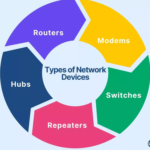
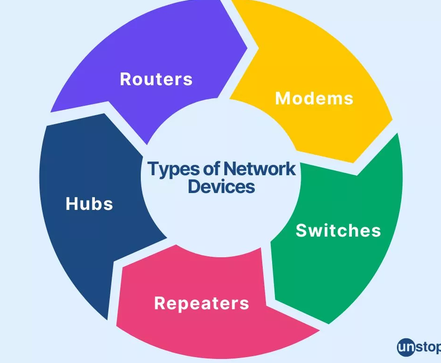
Important Networking Devices
Different networking devices perform different functions.
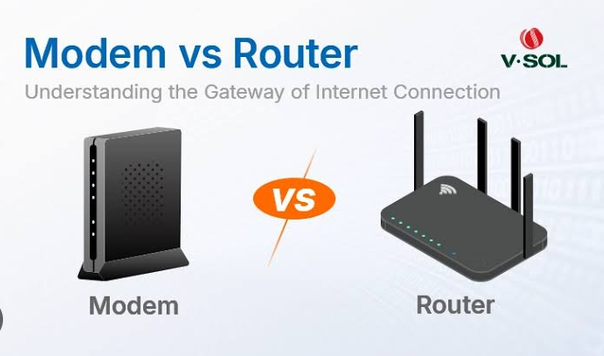
1. Router
A router connects different networks and determines where packets should be forwarded.
A typical home router connects the household’s local network to the internet.
Many consumer routers also provide:
- Wi-Fi
- DHCP
- Firewall functions
- Network address translation
- Basic network management
Routers are especially important because they help move traffic between separate networks.
2. Switch
A network switch connects multiple devices within a local network.
For example, an office may have computers, printers, servers, and access points connected to Ethernet switches.
Switches use information about connected devices to forward network traffic to the appropriate destination.
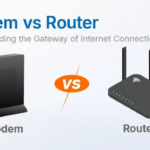
3. Modem
A modem provides communication between a local network and an internet service connection that uses a compatible access technology.
Depending on the internet service, the equipment may use cable, DSL, fiber, cellular, or another technology.
Modern internet equipment may combine modem, router, switch, and Wi-Fi functions in one device.
4. Wireless Access Point
A wireless access point provides Wi-Fi connectivity to wireless devices.
Businesses often use multiple access points to provide wireless coverage throughout offices, schools, hotels, hospitals, and other buildings.
5. Network Interface Card
A Network Interface Card, or NIC, allows a device to connect to a network.
A computer may have:
- Ethernet NIC
- Wi-Fi adapter
- Both wired and wireless interfaces
Modern laptops and smartphones generally have wireless networking built into the device.
6. Firewall
A firewall helps control network traffic according to security rules.
It can allow legitimate traffic while blocking certain unwanted or unauthorized connections.
Firewalls may exist as dedicated hardware, software, cloud services, or features integrated into other networking devices.
7. Repeater
A repeater receives a network signal and regenerates or retransmits it.
Repeaters can help extend the usable range of certain networking technologies.
Wireless range extenders are a familiar example in home environments.
How Routers and Switches Work Together
Routers and switches have different primary jobs.
A switch typically connects devices within the same local network, while a router connects different networks.
For example, consider a small office.
Computers may connect to a switch. The switch connects to a router. The router then connects the office network to the internet.
The basic structure might look like:
Computer → Switch → Router → Internet
If one employee sends a file to another computer on the same local network, the switch may handle the local traffic.
If an employee accesses a website hosted somewhere on the internet, the router helps forward the traffic outside the local network.
Wired vs Wireless Networking
Computer networks can use wired or wireless communication.
Wired Networking
Wired networks typically use Ethernet cables or fiber-optic connections.
Advantages include:
- High reliability
- Consistent performance
- Low latency
- Strong security when properly configured
- High speeds
Wired connections are common for desktop computers, servers, network equipment, and gaming systems.
Wireless Networking
Wireless networks use radio signals instead of physical cables.
Wi-Fi is the most common wireless networking technology for homes and offices.
Advantages include:
- Mobility
- Easy installation
- Convenient device connections
- Reduced cabling
However, wireless performance can be affected by distance, walls, interference, congestion, and other environmental factors.
What Is Network Topology?
Network topology describes how devices are arranged and connected.
Different topologies are used for different purposes.
Star Topology
In a star topology, devices connect to a central switch or other central networking device.
This is one of the most common arrangements in modern Ethernet networks.
Bus Topology
In a bus topology, devices share a common communication line.
This topology was used in older network technologies but is much less common in modern networks.
Ring Topology
In a ring topology, devices are arranged in a circular structure.
Data can travel around the ring according to the technology being used.
Mesh Topology
In a mesh network, devices have multiple connections to other devices.
Mesh designs can improve redundancy because traffic may have alternative paths if one connection fails.
What Is a MAC Address?
A MAC address is a hardware-level network identifier associated with a network interface.
It is commonly used for communication within local network technologies such as Ethernet and Wi-Fi.
A MAC address is different from an IP address.
An IP address is primarily associated with network-layer addressing and routing, while a MAC address is used at the local network communication level.
Public and Private IP Addresses
IP addresses can be categorized in different ways.
Private IP Address
Private addresses are commonly used inside local networks.
Examples include ranges such as:
- 192.168.x.x
- 10.x.x.x
- 172.16.x.x through 172.31.x.x
A home router may assign private IP addresses to devices connected to the home network.
Public IP Address
A public IP address can be used for communication across the public internet.
Internet service providers typically provide public addressing to customers, although the exact setup varies depending on the service.
How Does Wi-Fi Networking Work?
Wi-Fi allows compatible devices to communicate using radio signals.
A wireless router or access point broadcasts a wireless network identified by a network name, commonly called an SSID.
When a smartphone or laptop connects:
- The device searches for available wireless networks.
- The user selects a network.
- The device authenticates with the network.
- The device establishes a wireless connection.
- It receives network configuration, often through DHCP.
- The device can then communicate with other network resources and the internet.
Modern Wi-Fi technologies are designed to provide high-speed communication while supporting multiple devices.
How Does the Internet Work?
The internet is not a single computer or network owned by one organization. It is a global system of interconnected networks.
Internet service providers connect users and organizations to larger networks.
When you visit a website, your request may pass through multiple routers and network providers before reaching the destination server.
The response then travels back through network infrastructure to your device.
This distributed design allows the internet to connect enormous numbers of devices and networks around the world.
Real-World Example of Computer Networking
Consider a family using Wi-Fi at home.
The home may have:
- One internet connection
- One wireless router
- Two smartphones
- Two laptops
- One smart TV
- One gaming console
- Several smart-home devices
All these devices can connect to the router.
The router manages the local network and provides a path to the internet.
If someone watches an online video, packets travel from the streaming service to the home router and then to the user’s device.
At the same time, another family member might browse the web while someone else plays an online game.
The network allows these activities to happen simultaneously.
Computer Networking in Businesses
Businesses depend heavily on networking.
A medium-sized company might have:
- Employee computers
- Wi-Fi access points
- Network switches
- Routers
- Firewalls
- Servers
- Network printers
- Cloud applications
- Storage systems
- VPN connections
Networking allows employees to communicate and access shared resources.
For example, an employee could connect to a company application hosted in a data center while another employee accesses files stored on a cloud platform.
Network Security
Networking also creates security challenges.
Attackers may attempt to gain unauthorized access, steal information, distribute malware, or disrupt services.
Important network security practices include:
Strong Passwords
Use strong, unique passwords for routers, Wi-Fi networks, servers, and administrative accounts.
Encryption
Encryption protects information by converting readable data into a protected form that unauthorized users cannot easily understand.
Firewalls
Firewalls can help control unwanted network connections.
Software Updates
Keeping operating systems, routers, applications, and network devices updated can help reduce security risks.
Network Segmentation
Organizations can divide networks into separate sections to limit access and reduce the potential impact of security incidents.
Multi-Factor Authentication
Multi-factor authentication provides an additional security layer beyond a password.
Advantages of Computer Networking
Computer networking provides many benefits.
Resource Sharing
Users can share printers, storage, internet connections, applications, and other resources.
Communication
Networks enable email, messaging, video conferencing, voice calls, and collaborative applications.
Centralized Management
Organizations can manage users, devices, applications, and data more efficiently.
Data Sharing
Employees can access shared documents and databases.
Remote Access
VPNs and cloud services allow users to access resources from different locations.
Scalability
Networks can be expanded by adding devices, switches, access points, servers, and other infrastructure.
Disadvantages of Computer Networking
Despite its advantages, networking also has challenges.
Security Risks
Connected devices can become targets for cyberattacks.
Setup Costs
Large networks can require significant investments in equipment, software, installation, and maintenance.
Maintenance
Networks need monitoring, updates, troubleshooting, and security management.
Downtime
Network failures can interrupt business operations and prevent users from accessing important services.
Complexity
Large enterprise networks can become complicated and require skilled administrators.
Common Examples of Computer Networks
Computer networking is present in almost every part of modern life.
Examples include:
- Home Wi-Fi
- School computer labs
- Corporate office networks
- Bank networks
- Hospital networks
- Cloud data centers
- Mobile networks
- Online gaming networks
- Smart-home networks
- University networks
- Internet service provider networks
Even devices such as smart speakers, security cameras, smart appliances, and televisions increasingly rely on networking.
The Future of Computer Networking
Computer networking continues to evolve as more devices become connected.
Technologies such as faster Wi-Fi, high-speed fiber, 5G and newer mobile technologies, cloud computing, edge computing, Internet of Things devices, and artificial intelligence are influencing network development.
Future networks are expected to provide higher speeds, lower latency, improved reliability, greater automation, and stronger security.
As businesses move more applications and services to cloud platforms, networking will remain a critical part of digital infrastructure.
Conclusion
Computer networking is the technology that allows computers, smartphones, servers, printers, and countless other devices to communicate and share resources.
It works through a combination of hardware, software, communication media, IP addressing, routing, switching, and network protocols. Data is divided into packets, transmitted across networks, and reconstructed at the destination.
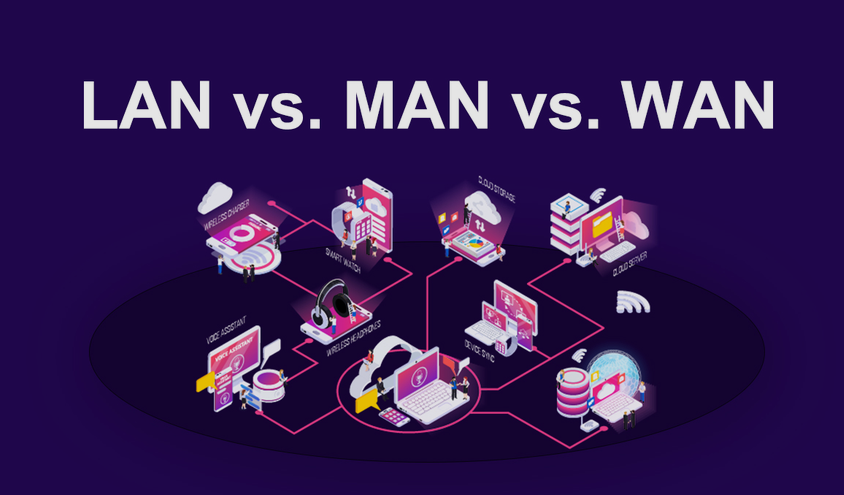
Different network types serve different purposes. PANs connect personal devices, LANs connect devices within limited areas, MANs can cover metropolitan regions, and WANs connect networks over large geographical distances.
Networking devices such as routers, switches, modems, wireless access points, firewalls, and network interfaces each play important roles in communication.
Whether you are using Wi-Fi at home, accessing a company server, watching an online video, playing a multiplayer game, or browsing a website, computer networking is working behind the scenes.