


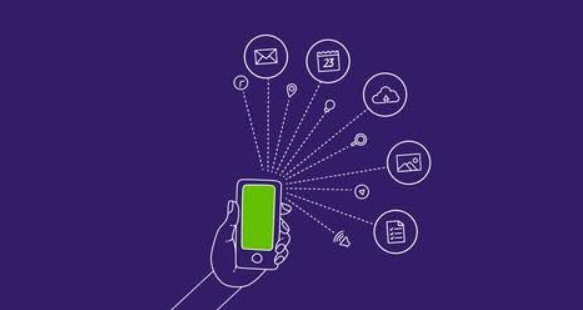
Smartphones have become an essential part of modern life. People use them to communicate with family and friends, browse the internet, take photos, watch videos, manage finances, work remotely, study, navigate unfamiliar places, shop online, and access thousands of useful applications.
For someone who is new to smartphones, however, the technology can seem complicated. Terms such as processor, RAM, operating system, touchscreen, 5G, cloud storage, and app stores may be unfamiliar.
This beginner-friendly guide explains what a smartphone is, how it works, its main features, different types of smartphones, and what you should consider when choosing one.
What Is a Smartphone?
A smartphone is a mobile electronic device that combines the basic functions of a traditional mobile phone with advanced computing capabilities.
Unlike older mobile phones that were mainly designed for voice calls and text messages, smartphones can perform many tasks similar to those performed by computers. They can connect to the internet, run applications, play games, take high-quality photographs, record videos, stream entertainment, store files, and communicate through various online services.
A smartphone usually has a touchscreen display, a rechargeable battery, cameras, speakers, microphones, wireless connectivity, and a powerful processor.
Modern smartphones can also connect to accessories such as wireless headphones, smartwatches, keyboards, cars, televisions, and other smart devices.
How Does a Smartphone Work?
A smartphone works through the cooperation of several hardware and software components.
When you tap an icon on the screen, the touchscreen detects your touch and sends the information to the phone’s processor. The operating system then determines what action should happen. If you open an application, the processor loads the necessary information from the phone’s storage into memory and executes the application’s instructions.
For example, when you open the camera app, several components work together:
- The touchscreen detects your tap.
- The operating system opens the camera application.
- The processor processes the application’s instructions.
- The camera sensor captures light and creates image data.
- The processor processes the image.
- The phone saves the resulting photograph to storage.
This process happens extremely quickly, often within fractions of a second.
Main Parts of a Smartphone
Understanding the main components of a smartphone can make it much easier to understand how these devices work.
1. Display
The display is the screen that allows users to view information and interact with the phone.
Smartphone displays show applications, photographs, videos, websites, messages, and other content. Most modern smartphones use touch-sensitive displays, allowing users to control the device by tapping, swiping, and making gestures.
Important display specifications include:
- Screen size
- Resolution
- Refresh rate
- Brightness
- Display technology
- Color accuracy
Common display technologies include LCD and OLED. OLED displays can provide deep blacks and strong contrast, while LCD screens are often less expensive.
2. Processor
The processor, also known as the CPU or part of the system-on-chip, is one of the most important components inside a smartphone.
It handles instructions and calculations required by applications and the operating system. A faster and more efficient processor can improve application performance, gaming, multitasking, image processing, and overall responsiveness.
Modern smartphone chips may also contain specialized components for graphics processing, artificial intelligence, photography, connectivity, and other tasks.
3. RAM
RAM stands for Random Access Memory.
It provides temporary working space for applications and processes currently being used by the phone.
For example, if you open a web browser, messaging application, and music application, the phone may keep information from these applications in RAM so they can continue running efficiently.
More RAM can help with multitasking, although RAM alone does not determine smartphone performance.
4. Internal Storage
Internal storage is where a smartphone keeps data permanently.
This includes:
- Applications
- Photos
- Videos
- Documents
- Music
- Downloads
- System files
Storage capacity is commonly measured in gigabytes (GB).
A phone with 128GB of storage provides considerably more space than a phone with 64GB. Users who record many videos, install large games, or store lots of photographs may benefit from more storage.
Some smartphones also support memory cards, although many modern premium phones do not include a microSD card slot.
5. Battery
The battery provides power to the smartphone.
Battery capacity is usually measured in milliampere-hours, or mAh. A larger capacity can potentially provide longer battery life, but battery capacity is not the only factor that determines how long a phone lasts.
Battery life also depends on:
- Screen brightness
- Processor efficiency
- Network connection
- Application usage
- Refresh rate
- Background processes
- Battery health
Many smartphones also support fast charging, while some support wireless charging.
6. Cameras
Smartphone cameras have developed significantly over the years.
Modern phones can include multiple cameras for different purposes, such as:
- Main camera
- Ultra-wide camera
- Telephoto camera
- Macro camera
- Front-facing camera
Camera quality depends on more than megapixels. Image processing, sensor size, lenses, stabilization, software, and computational photography all influence the final image.
Smartphones can also record high-resolution video, slow-motion footage, time-lapse videos, and other formats.
7. Speakers and Microphones
Speakers allow users to hear calls, music, videos, notifications, alarms, and other sounds.
Microphones capture sound during phone calls, video recording, voice messages, and voice commands.
Many smartphones use multiple microphones to improve audio recording and reduce unwanted background noise.
8. Sensors
Smartphones contain several small sensors that help them understand their environment and how they are being used.
Common sensors include:
- Accelerometer
- Gyroscope
- Proximity sensor
- Ambient light sensor
- Magnetometer
- Fingerprint sensor
For example, an accelerometer can detect movement and orientation, while an ambient light sensor can help automatically adjust screen brightness.
What Is a Smartphone Operating System?
An operating system, commonly called an OS, is the software that manages the smartphone’s hardware and provides the environment in which applications operate.
The operating system controls functions such as:
- Touch input
- Applications
- Notifications
- Settings
- Security
- File management
- Wireless connections
- Battery management
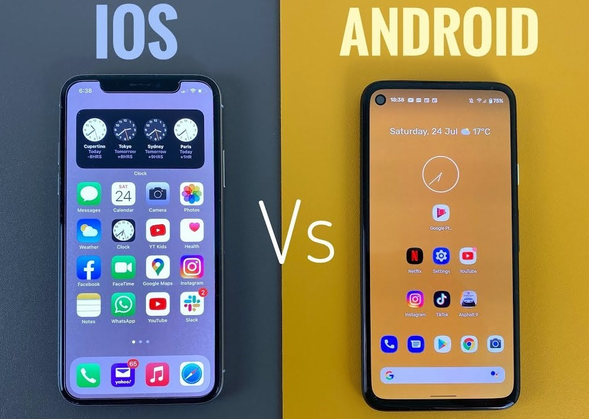
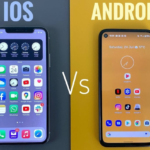
Two major smartphone operating systems dominate the market: Android and iOS.
Android Smartphones
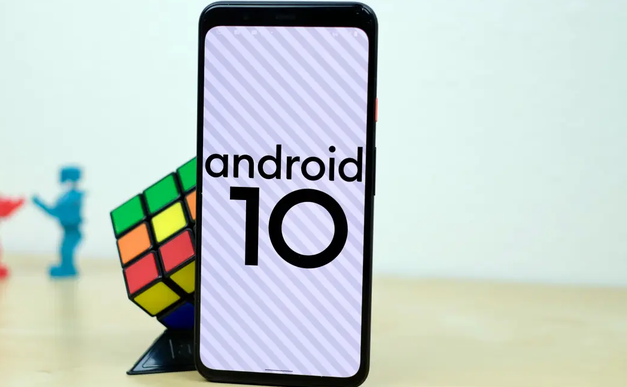
Android is a mobile operating system used by many smartphone manufacturers.
Different companies produce Android phones, including devices ranging from inexpensive entry-level models to high-end flagship smartphones.
Android generally provides users with considerable flexibility. Manufacturers can also customize the appearance and features of the operating system.
Android phones are available in many different designs and price ranges, making the platform suitable for a wide variety of users.
iPhones and iOS
iPhones are smartphones developed by Apple and use Apple’s iOS operating system.
iOS is designed specifically for Apple’s hardware and provides a consistent interface across supported iPhone models.
Apple also integrates the iPhone with other products and services in its ecosystem, including computers, tablets, watches, cloud services, and wireless accessories.
What Are Smartphone Apps?
Apps, short for applications, are software programs designed to perform specific tasks.
For example, a smartphone may have apps for:
- Messaging
- Banking
- Shopping
- Maps
- Photography
- Video streaming
- Music
- Education
- News
- Productivity
- Gaming
Apps can usually be downloaded through an official app store.
Android devices commonly use Google Play, while iPhones use Apple’s App Store.
Users should be careful when installing applications and should generally download apps from trusted sources.
What Is Mobile Internet?
Smartphones can connect to the internet using mobile networks or Wi-Fi.
Mobile networks allow a phone to access internet services when it is away from a Wi-Fi connection.
Different generations of mobile network technology have been introduced over time.
3G
3G provided significantly better mobile internet capabilities than earlier generations. It supported web browsing, multimedia services, and other online activities.
4G
4G brought much faster mobile internet and became widely used for video streaming, online gaming, social media, video calls, and general browsing.
5G
5G is a newer generation of mobile network technology designed to provide faster speeds, lower latency, and greater network capacity in supported areas.
The actual experience depends on network coverage, the carrier, the smartphone, and local network conditions.
What Is Wi-Fi on a Smartphone?
Wi-Fi allows a smartphone to connect to a wireless local network.
When connected to Wi-Fi, your phone can access the internet without using mobile data from your cellular plan.
People commonly use Wi-Fi at:
- Homes
- Offices
- Schools
- Hotels
- Restaurants
- Airports
- Public spaces
Wi-Fi can be particularly useful when downloading large files or streaming high-resolution video.
What Is Bluetooth?
Bluetooth is a short-range wireless technology that allows smartphones to communicate with compatible devices.
For example, Bluetooth can connect a smartphone to:
- Wireless earbuds
- Headphones
- Speakers
- Smartwatches
- Car entertainment systems
- Keyboards
- Other accessories
Bluetooth is generally designed for relatively short-distance connections.
What Is GPS?
GPS allows a smartphone to determine its location using satellite-based positioning technology.
Location services are used by applications such as maps, navigation, weather services, ride-hailing platforms, and fitness applications.
For example, a navigation app can use your phone’s location to determine where you are and provide directions to a destination.
Smartphone Security
Smartphones contain personal information, making security extremely important.
A phone may contain photographs, messages, emails, contacts, financial information, documents, and access to online accounts.
Common security features include:
- PIN codes
- Passwords
- Pattern locks
- Fingerprint recognition
- Facial recognition
- Application permissions
- Device encryption
- Security updates
Users should protect their smartphones with a strong screen lock and keep the operating system and applications updated.
Smartphone Connectivity
Modern smartphones support several types of connectivity.
These may include:
- Cellular networks
- Wi-Fi
- Bluetooth
- GPS
- NFC
- USB
- Mobile hotspot
NFC, or Near Field Communication, can be used for short-range communication and supported contactless payment systems.
A mobile hotspot allows a smartphone to share its internet connection with other devices.
What Is Cloud Storage?
Cloud storage allows users to store data on remote servers instead of keeping everything only on the smartphone.
Cloud services can be used to back up:
- Photos
- Videos
- Contacts
- Documents
- Application data
- Device settings
Cloud backups can be useful if a smartphone is lost, damaged, or replaced.
However, cloud storage usually requires an internet connection for synchronization and may have storage limits depending on the service.
What Is a Smartphone Camera Megapixel?
A megapixel represents approximately one million pixels.
For example, a 50-megapixel camera can capture an image containing a large number of pixels.
However, a higher megapixel number does not automatically mean a better camera.
Image quality also depends on the camera sensor, lens quality, software processing, stabilization, lighting, and other factors.
Therefore, users should not choose a smartphone camera based only on megapixel numbers.
What Is Refresh Rate?
Refresh rate describes how many times the display can update its image each second.
It is measured in hertz (Hz).
For example, a 60Hz display refreshes up to 60 times per second, while a 120Hz display can refresh up to 120 times per second.
Higher refresh rates can make scrolling, animations, and supported games appear smoother. However, higher refresh rates can also consume more battery depending on the device and implementation.
What Is Fast Charging?
Fast charging allows a smartphone battery to charge more quickly than conventional charging systems.
Charging speed depends on the smartphone, charger, cable, battery technology, and charging protocol.
Some phones can add a substantial amount of battery power in a relatively short period, which can be useful for people who frequently need to recharge their devices.
Users should use compatible chargers and cables designed for their smartphone.
Types of Smartphones
Smartphones can be divided into several broad categories.
Budget Smartphones
Budget phones are designed for users who want essential smartphone features at a lower price.
They can be suitable for:
- Calling
- Messaging
- Social media
- Web browsing
- Basic photography
- Video streaming
Mid-Range Smartphones
Mid-range phones provide a balance between price and performance.
They often offer better cameras, displays, processors, and batteries than entry-level devices without reaching flagship prices.
Flagship Smartphones
Flagship smartphones represent the highest-end products offered by manufacturers.
They typically include advanced processors, premium displays, sophisticated cameras, improved materials, and additional features.
Foldable Smartphones
Foldable phones use flexible display technology and can change their physical form.
Some fold like a book, while others fold into a smaller traditional phone shape.
Foldable smartphones can provide larger displays while maintaining a relatively compact folded design.
How Smartphones Are Used in Everyday Life
Smartphones are used for much more than making phone calls.
Communication
People use smartphones for voice calls, text messages, email, video calls, and messaging applications.
Entertainment
Users can watch movies, listen to music, play games, read books, and view online videos.
Education
Students can use smartphones to access educational applications, online courses, digital books, tutorials, dictionaries, and learning platforms.
Work
Professionals can use smartphones to manage email, attend meetings, edit documents, communicate with colleagues, and access business applications.
Navigation
Mapping and navigation applications can provide directions and help users discover nearby locations.
Photography
Smartphones have become popular everyday cameras because they are portable and usually available whenever users need them.
Online Shopping
Shopping applications and mobile websites allow users to browse products, compare prices, place orders, and track deliveries.
Advantages of Smartphones
Smartphones offer many benefits.
Convenience
A smartphone combines numerous functions into one portable device.
Communication
People can communicate instantly through calls, messages, emails, and video calls.
Internet Access
Users can access information from almost anywhere with an internet connection.
Productivity
Smartphones can provide calendars, notes, email, document editors, calculators, task managers, and other productivity tools.
Entertainment
A single device can provide access to music, games, videos, books, and other entertainment.
Navigation
GPS and mapping services make it easier to travel and find unfamiliar locations.
Disadvantages of Smartphones
Despite their benefits, smartphones also have disadvantages.
Distraction
Notifications and entertainment applications can distract users from work, study, or personal activities.
Battery Dependence
A smartphone requires regular charging. A depleted battery can limit access to communication and other services.
Privacy Concerns
Applications can request access to information such as location, camera, microphone, contacts, and files. Users should review permissions carefully.
Cost
High-end smartphones can be expensive, particularly when combined with accessories and mobile service costs.
Screen Time
Excessive smartphone use can reduce time spent on physical activities, face-to-face interaction, sleep, or other important activities.
How to Choose the Right Smartphone
When buying a smartphone, consider how you actually plan to use it rather than simply choosing the device with the highest specifications.
Set a Budget
Determine how much you are comfortable spending before comparing devices.
Consider Performance
Look for a capable processor and sufficient RAM for your typical applications.
Check Storage
If you take many photos, record videos, download games, or keep large files, choose sufficient internal storage.
Evaluate the Camera
If photography is important, consider overall camera performance rather than megapixel count alone.
Check Battery Life
Look for a phone that can comfortably last through your normal daily usage.
Consider Display Quality
If you frequently watch videos, read, or play games, display size, brightness, resolution, and refresh rate may be important.
Consider Software Support
Long-term software and security updates can help keep a smartphone useful and secure for several years.
Check Network Compatibility
Make sure the phone supports the cellular networks and SIM technology available from your mobile provider.
Tips for New Smartphone Users
If you are using a smartphone for the first time, start with the basics.
First, learn how to lock and unlock the phone. Then learn how to make calls, send messages, adjust volume, connect to Wi-Fi, and install applications.
You should also learn how to:
- Take screenshots
- Adjust brightness
- Manage notifications
- Check battery usage
- Update applications
- Back up important data
- Delete unwanted files
- Manage app permissions
Do not install unknown applications simply because they appear in advertisements or pop-ups. Download applications from trusted sources and review permissions before granting access.
How Long Does a Smartphone Last?
The useful life of a smartphone varies depending on its hardware quality, software support, battery health, and how it is used.
Some smartphones remain useful for several years. Battery performance may decline over time, and older devices may eventually stop receiving software or security updates.
A well-maintained smartphone can generally remain useful longer when users protect it from physical damage, keep software updated, manage storage, and replace the battery when appropriate.
The Future of Smartphones
Smartphones continue to evolve as manufacturers introduce new hardware and software technologies.
Future smartphones may offer improvements in artificial intelligence, photography, battery efficiency, connectivity, displays, security, and device integration.
Artificial intelligence is already being used for tasks such as image enhancement, voice recognition, translation, writing assistance, search, and personalized recommendations.
Foldable and other flexible devices may also become more common as display technology develops.
Smartphones are also increasingly becoming central hubs for connected devices, allowing users to control smart home products, wearable technology, vehicles, and other digital systems.
Final Thoughts
A smartphone is essentially a compact computer combined with the communication capabilities of a mobile phone. It can perform an enormous range of tasks, from making calls and sending messages to taking photographs, accessing the internet, navigating cities, managing work, studying, shopping, and enjoying entertainment.
For beginners, the most important concepts to understand are the smartphone’s display, processor, RAM, storage, battery, cameras, operating system, applications, and wireless connectivity.
When choosing a smartphone, specifications are important, but they should always be considered alongside your personal needs and budget. A more expensive phone is not necessarily the best choice for every user.