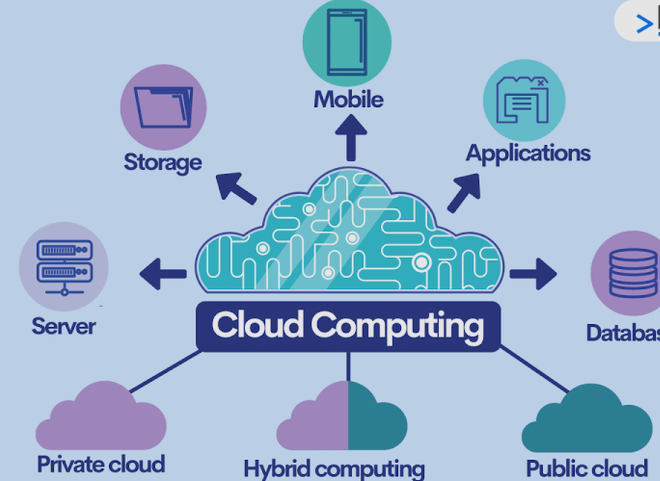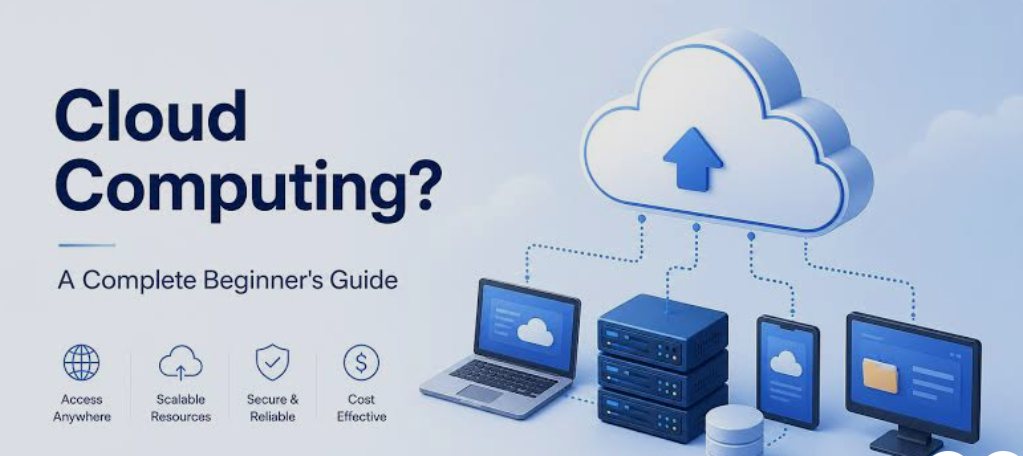






Cloud computing has changed the way individuals, businesses, and organizations use technology. Instead of purchasing expensive physical servers, installing software on every computer, and maintaining large data centers, users can access computing resources through the internet. These resources can include storage, servers, databases, networking, software, analytics, and even artificial intelligence tools.
Today, cloud computing powers many of the digital services people use every day. Online storage, streaming platforms, email services, business applications, mobile apps, websites, and many AI systems depend on cloud infrastructure.
But how does cloud computing actually work? What are the different types of cloud computing, what benefits does it provide, and what are some real-world examples?
This guide explains cloud computing in simple terms and covers its basic architecture, working process, service models, deployment types, benefits, challenges, and practical examples.
What Is Cloud Computing?
Cloud computing is the delivery of computing resources and services over the internet. Instead of owning and managing all the hardware and software needed to perform computing tasks, users can access resources from cloud providers whenever they need them.
For example, imagine that you need 1 TB of storage. Traditionally, you might purchase a physical hard drive or install a server in your office. With cloud computing, you can rent storage from a cloud provider and access your files through the internet.
The same concept applies to computing power. A company that needs additional servers for its website does not necessarily have to purchase new physical machines. It can rent virtual servers from a cloud provider and increase or decrease resources according to demand.
In simple terms:
Cloud computing means using computing resources over the internet instead of relying entirely on your own physical hardware.
How Does Cloud Computing Work?
Cloud computing works through a combination of internet connectivity, data centers, physical hardware, virtualization, software, and automated management systems.
When you use a cloud service, your device is usually not performing all the required computing tasks itself. Instead, your request travels through the internet to servers located in a cloud provider’s data center.
The cloud infrastructure processes your request and sends the required information back to your device.
For example, when you upload a file to cloud storage:
- You select a file on your computer or smartphone.
- The file is transmitted through the internet.
- The cloud service receives the file.
- The provider stores the file on its infrastructure.
- The system may create redundant copies for reliability.
- You can later access the file from another device.
- The cloud provider manages the underlying hardware and software.
The process can happen within seconds.
The Main Components of Cloud Computing
Several components work together to make cloud computing possible.
Physical Data Centers
Cloud providers operate large data centers containing thousands or even millions of physical servers.
These facilities typically include:
- Servers
- Storage systems
- Networking equipment
- Backup systems
- Cooling systems
- Power infrastructure
- Security systems
Users generally do not need to know where their particular application or file is physically stored. The cloud provider manages the underlying infrastructure.
Virtualization
Virtualization is one of the technologies that makes modern cloud computing possible.
A powerful physical server can be divided into multiple virtual machines. Each virtual machine can operate like an independent computer with its own operating system and allocated resources.
For example, one physical server might provide computing resources to several virtual servers.
This allows cloud providers to use hardware efficiently and provide resources to multiple customers.
Networking
Networking connects users to cloud resources.
When you open a cloud application, your device communicates with cloud servers through the internet. High-speed networks connect different servers and data centers, allowing cloud providers to transfer data and distribute workloads.
Storage Systems
Cloud providers use sophisticated storage infrastructure to store customer data.
Instead of depending on a single physical drive, cloud storage can use multiple storage devices and locations. This can improve availability and protect data against individual hardware failures.
Cloud Management Software
Cloud platforms use software to manage computing resources automatically.
Management systems can allocate servers, storage, memory, and networking resources based on customer requirements. They can also monitor performance, detect failures, and scale applications when demand changes.
A Simple Example of How Cloud Computing Works
Consider a popular online photo-storage application.
You take a photo using your smartphone and upload it to the application.
Your phone sends the photo through the internet to the provider’s cloud infrastructure. Servers receive and process the file, while storage systems save it.
The service may also generate smaller versions of the image for previews and create backup copies.
Later, you log in from your laptop. Your laptop sends a request to the cloud service, which retrieves the appropriate photo and delivers it to your browser.
You never have to know which physical server contains the original file.
This is the basic idea behind cloud computing: the complicated infrastructure operates behind the scenes while users interact with a simple application.
Types of Cloud Computing
Cloud computing can be categorized in several ways. The most common classifications are based on deployment models and service models.
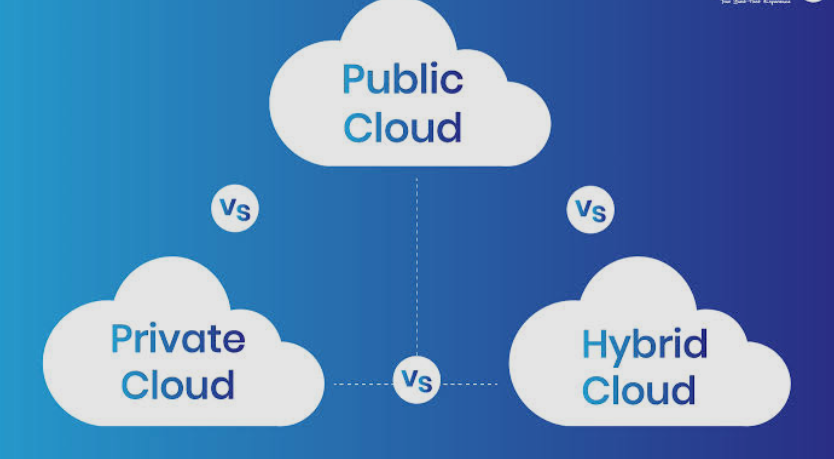
Public Cloud
A public cloud is a cloud environment operated by a third-party provider and made available to multiple customers.
Customers share the provider’s underlying infrastructure while their applications and data remain logically separated.
Public cloud services are popular because businesses do not need to purchase and maintain their own physical data centers.
Public cloud can be useful for:
- Websites
- Mobile applications
- Software development
- Data storage
- Business applications
- Testing environments
- Data analytics
The major advantage is flexibility. Organizations can rent resources when they need them instead of making large infrastructure investments.
Private Cloud
A private cloud is designed for use by a single organization.
The infrastructure may be located within the organization’s own facilities or hosted by an external provider. Private clouds provide greater control over infrastructure and configuration.
Organizations with strict security, regulatory, or customization requirements may choose private cloud environments.
However, private cloud infrastructure can require more management and investment than typical public cloud services.
Hybrid Cloud
Hybrid cloud combines private and public cloud environments.
For example, a company might keep sensitive business systems in a private cloud while using public cloud resources for websites, analytics, or applications that require additional capacity.
Hybrid cloud can provide a balance between control and scalability.
Businesses can decide which workloads should run in their private environment and which can operate in a public cloud.
Multi-Cloud
Multi-cloud means using cloud services from multiple providers.
For example, an organization might use one provider for cloud storage, another for specialized analytics, and another for application hosting.
Companies may adopt multi-cloud strategies to avoid depending entirely on one provider or to take advantage of specialized services offered by different platforms.
Cloud Computing Service Models
Another important way to understand cloud computing is through service models.
Infrastructure as a Service (IaaS)
Infrastructure as a Service, commonly called IaaS, provides fundamental computing resources through the cloud.
These resources can include:
- Virtual machines
- Storage
- Networking
- Firewalls
- Load balancing
- Computing capacity
Instead of purchasing physical servers, businesses can rent virtual infrastructure.
IaaS provides significant flexibility because customers can configure operating systems, applications, networking, and other components according to their requirements.
It is commonly used by developers, system administrators, startups, and organizations running custom applications.
Platform as a Service (PaaS)
Platform as a Service provides developers with an environment for building and running applications.
The cloud provider manages much of the underlying infrastructure, allowing developers to focus more on application development.
PaaS can provide:
- Development environments
- Databases
- Application hosting
- Runtime environments
- Development tools
- Scaling capabilities
This can reduce the amount of infrastructure management developers need to perform.
Software as a Service (SaaS)
Software as a Service provides complete software applications through the internet.
Users typically access SaaS applications through a web browser or dedicated application.
Examples include:
- Email platforms
- Online office applications
- Customer relationship management systems
- Project management software
- Accounting applications
- Online communication tools
SaaS is one of the most familiar forms of cloud computing because users generally do not need to install or maintain the underlying infrastructure.
Serverless Computing
Serverless computing is another cloud computing approach.
Despite its name, serverless computing still uses physical and virtual servers. The difference is that developers generally do not manage those servers directly.
Instead, the cloud platform automatically handles infrastructure and executes application code when needed.
For example, a developer might create a function that processes an uploaded image. The function runs when an image is uploaded and does not need to remain active continuously.
Serverless computing can help organizations reduce infrastructure management and pay for resources based on actual usage.
Benefits of Cloud Computing
Cloud computing offers many advantages for businesses, developers, students, and individual users.
Lower Infrastructure Costs
Traditional infrastructure can require significant upfront investment.
Organizations may need to purchase:
- Servers
- Storage devices
- Networking equipment
- Backup systems
- Cooling equipment
- Software licenses
Cloud computing changes this model by allowing organizations to rent resources.
This can reduce the need for large upfront hardware investments.
Scalability
One of the biggest advantages of cloud computing is scalability.
A website may receive normal traffic during most of the month but experience millions of visitors during a major event.
Cloud infrastructure can allow resources to increase when demand rises and decrease when demand falls.
This is known as elastic scaling.
Flexibility
Cloud services can be accessed from many locations and devices as long as users have suitable internet access and permissions.
Employees can work with cloud-based applications from offices, homes, or other locations.
This flexibility has become particularly important for distributed teams.
Faster Deployment
Traditional infrastructure can take days or weeks to purchase, install, and configure.
Cloud services can often be provisioned much faster.
Developers can create virtual servers, databases, storage systems, and application environments without physically installing hardware.
This can significantly speed up software development and deployment.
Automatic Updates
Many cloud services are maintained by the provider.
Users may receive software updates, security improvements, and infrastructure upgrades without manually updating physical servers.
The exact level of maintenance depends on the cloud service model.
Backup and Disaster Recovery
Cloud infrastructure can support backup and disaster recovery strategies.
Organizations can store copies of important data in separate systems or locations. If one system fails, another copy may be available.
Cloud-based disaster recovery can be particularly useful for businesses that need to maintain operations after hardware failures or other disruptions.
Global Accessibility
Large cloud providers operate infrastructure across multiple geographic regions.
Businesses can deploy applications closer to their users, potentially improving performance and reducing latency.
This makes it easier for companies to serve customers across different countries and regions.
Better Collaboration
Cloud applications allow multiple users to access shared files and systems.
For example, employees can collaborate on documents, manage projects, communicate with teams, and access business information without keeping everything on individual computers.
Improved Resource Utilization
Cloud providers can allocate physical resources efficiently among many customers.
Virtualization and automated resource management can help reduce unused infrastructure capacity.
This makes it possible to provide computing resources without requiring every customer to own dedicated physical hardware.
Disadvantages and Challenges of Cloud Computing
Although cloud computing offers many benefits, it also has potential disadvantages.
Internet Dependency
Many cloud services require an internet connection.
If your internet connection is unavailable or unreliable, accessing cloud applications may become difficult.
Some applications provide offline functionality, but this depends on the service.
Security Concerns
Cloud providers invest heavily in security, but customers still need to configure their cloud environments correctly.
Weak passwords, incorrect permissions, exposed databases, and poorly configured systems can create security risks.
Organizations must follow strong security practices when using cloud services.
Privacy
Businesses need to understand where their data is stored, who can access it, and how the provider handles it.
Organizations operating in regulated industries may have additional requirements regarding data storage and processing.
Unexpected Costs
Cloud computing can reduce infrastructure costs, but poorly managed usage can result in unexpected bills.
For example, a company might accidentally leave unnecessary servers running or transfer large amounts of data without monitoring costs.
Cloud cost management is therefore important.
Vendor Lock-In
Moving applications and data between cloud providers can sometimes be difficult.
A business that relies heavily on provider-specific technologies may find migration complicated.
Organizations can reduce this risk by planning their architecture carefully.
Real-World Examples of Cloud Computing
Cloud computing is used in almost every major area of modern technology.
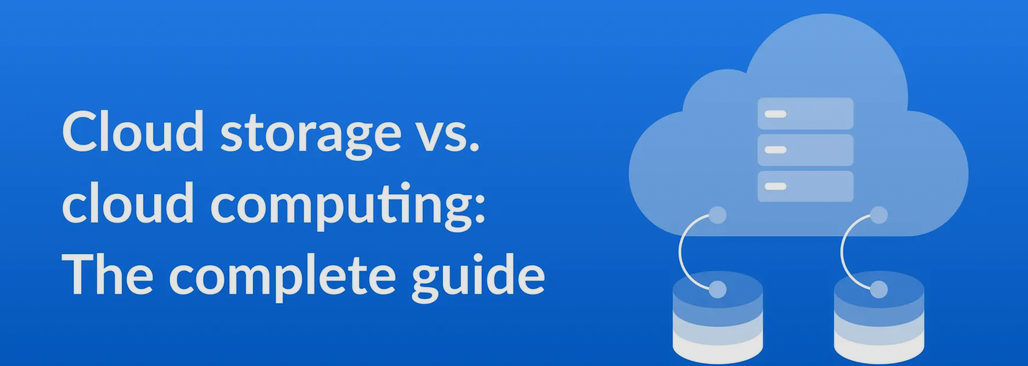
Cloud Storage
Services that allow users to store photos, documents, videos, and other files online are common examples of cloud computing.
Users can access their files from smartphones, tablets, and computers.
Video Streaming
Streaming platforms use cloud infrastructure to store and deliver huge libraries of videos.
When you watch a movie or television program online, cloud servers and content-delivery infrastructure help deliver the video to your device.
Online Email
Modern email platforms use cloud infrastructure to store messages and attachments.
You can log into your account from different devices because your email data is stored on remote servers rather than only on one computer.
Online Office Applications
Cloud-based office applications allow users to create documents, spreadsheets, and presentations through web browsers.
Files can be stored online and shared with other users.
E-Commerce
Online shopping websites use cloud infrastructure to handle product catalogs, customer accounts, payment processing, databases, and website traffic.
During major sales events, cloud scalability can help handle sudden increases in traffic.
Social Media
Social media platforms require enormous amounts of computing power and storage.
Cloud infrastructure can help process posts, photos, videos, messages, notifications, and user interactions.
Artificial Intelligence
Modern AI applications often require significant computing resources.
Cloud platforms provide access to powerful processors and accelerators that can be used for machine learning, data processing, model training, and AI-powered applications.
Cloud Computing in Business
Businesses of all sizes use cloud computing.
A small startup can launch an application without building its own data center. A large enterprise can use cloud infrastructure to operate global applications.
Common business uses include:
- Customer relationship management
- Accounting
- Human resources
- Data analytics
- Website hosting
- File storage
- Cybersecurity
- Business intelligence
- Application development
- Artificial intelligence
Cloud computing allows companies to focus more on their business objectives instead of managing every physical component of their IT infrastructure.
Cloud Computing vs Traditional Computing
Traditional computing generally requires organizations to own or directly manage hardware.
For example, a business might purchase physical servers, install them in an office or data center, maintain them, replace failed components, and plan for future capacity.
Cloud computing shifts much of this infrastructure responsibility to a cloud provider.
| Feature | Traditional Computing | Cloud Computing |
|---|---|---|
| Hardware | Owned or directly managed | Rented or provided as a service |
| Initial cost | Often high | Usually lower upfront |
| Scaling | Requires additional hardware | Can often scale quickly |
| Maintenance | Organization manages infrastructure | Provider manages much of the infrastructure |
| Accessibility | Often dependent on local infrastructure | Usually accessible through the internet |
| Deployment | Can take significant time | Often much faster |
| Capacity | Planned in advance | Can be adjusted based on demand |
Neither approach is automatically better for every situation. The right choice depends on an organization’s requirements, budget, security needs, technical capabilities, and regulatory environment.
The Future of Cloud Computing
Cloud computing continues to evolve as organizations adopt new technologies.
Artificial intelligence, machine learning, edge computing, automation, serverless architecture, and advanced data analytics are increasingly connected with cloud platforms.
AI workloads can require substantial computing resources, making scalable cloud infrastructure particularly valuable.
Edge computing is also becoming important. Instead of processing every request in a centralized data center, some workloads can be processed closer to the user or device.
Future cloud environments are likely to become more automated, distributed, intelligent, and specialized.
Final Thoughts
Cloud computing works by delivering computing resources through internet-connected infrastructure managed by cloud providers. Behind the simple applications users interact with are large networks of data centers, servers, storage systems, virtualization technologies, networking equipment, and management software.
The major cloud deployment models include public, private, hybrid, and multi-cloud environments. Common service models include IaaS, PaaS, and SaaS, while serverless computing provides another way to build applications without directly managing servers.
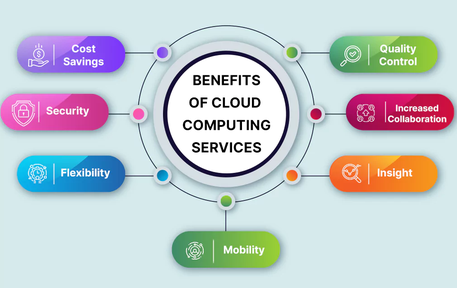
The biggest advantages of cloud computing include scalability, flexibility, faster deployment, lower upfront infrastructure costs, global accessibility, collaboration, and easier infrastructure management. However, organizations must also consider security, privacy, internet dependency, unexpected costs, and vendor lock-in.
Whether you are storing photos, watching online videos, using business software, developing applications, or interacting with AI services, there is a good chance that cloud computing is working behind the scenes.
Understanding how cloud computing works is therefore an important first step for anyone interested in modern technology, software development, cybersecurity, data science, or digital business.