





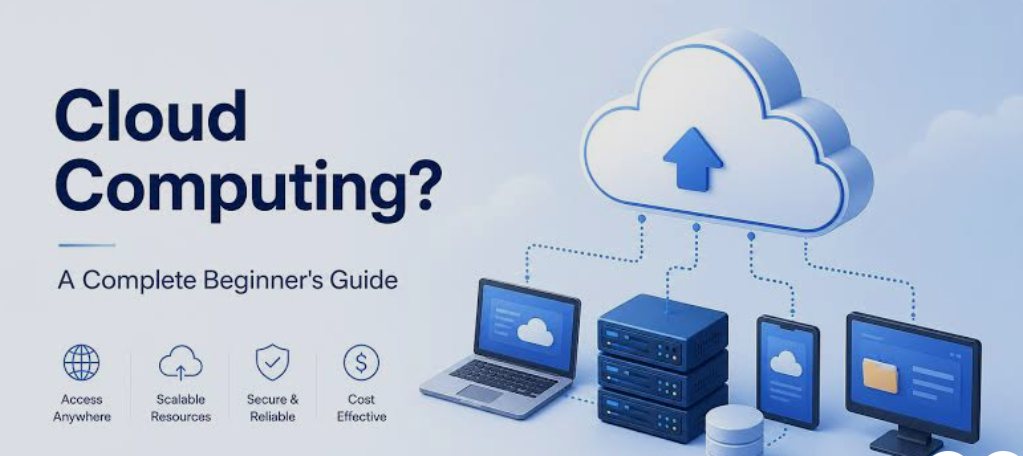
Cloud computing has become one of the most important technologies in the modern digital world. From storing photos and documents to running websites, mobile applications, business software, and artificial intelligence systems, cloud computing is now used by individuals, startups, large companies, schools, and governments.
But what exactly is cloud computing, and how does it work? If you are new to technology, terms such as cloud servers, cloud storage, SaaS, virtual machines, and cloud platforms can seem complicated. The good news is that the basic concept is much easier to understand than it may initially appear.
This beginner’s guide explains what cloud computing means, how it works, its major types, benefits, common examples, potential disadvantages, and how businesses and individuals use it in everyday life.
What Is Cloud Computing?
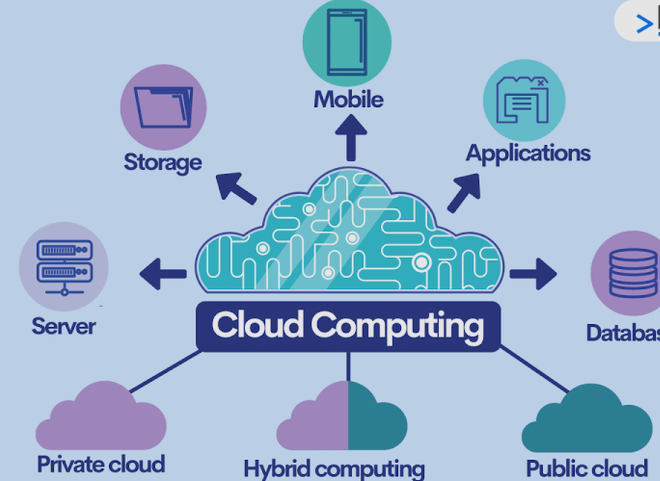
Cloud computing is the delivery of computing resources and services over the internet instead of requiring users to own and maintain all the physical hardware themselves.
These resources can include:
- Storage
- Servers
- Databases
- Networking
- Software
- Processing power
- Security services
- Development tools
- Artificial intelligence services
- Data analytics platforms
In traditional computing, a person or organization may need to purchase a physical computer, server, hard drives, networking equipment, and software. They are also responsible for maintaining and upgrading that equipment.
With cloud computing, many of these resources are provided through internet-connected data centers. Users can access the resources whenever they need them and often pay according to their usage or subscription.
A simple example is online file storage. Instead of keeping every document on your computer’s hard drive, you can store files on a cloud service and access them from different devices through the internet.
How Does Cloud Computing Work?
Cloud computing works through large networks of physical data centers containing thousands of powerful computers and servers.
Cloud providers operate these data centers and make computing resources available to customers through the internet. Customers do not normally need to know which physical server is processing their request.
For example, when you use a cloud-based application, your device sends information through the internet to the provider’s infrastructure. The cloud servers process the request and send the required information back to your device.
Cloud computing typically involves several important components.
Data Centers
A data center is a facility containing computers, servers, storage systems, networking equipment, power systems, and cooling infrastructure.
Cloud providers operate large data centers in different geographic locations. This allows them to provide services to customers around the world.
Servers
Servers are powerful computers designed to provide resources and services to other computers and applications.
Cloud providers may operate thousands or even millions of servers. Instead of purchasing an individual server, customers can rent computing capacity from the cloud provider.
Virtualization
Virtualization is an important technology behind modern cloud computing.
A physical server can be divided into multiple virtual machines. Each virtual machine can operate like an independent computer with its own operating system, applications, memory, and storage.
This allows cloud providers to use their hardware efficiently and provide resources to many customers.
Internet Connectivity
The internet connects users to cloud services. A person can access cloud applications from a laptop, smartphone, tablet, or another connected device.
The quality of the internet connection can affect how quickly cloud services respond, especially when transferring large amounts of data.
Why Is Cloud Computing Called “The Cloud”?
The word “cloud” is a simple way of describing computing infrastructure that users access remotely through a network.
You do not normally need to know exactly where your files or applications are physically stored. Instead, you interact with the service through an application or website.
The cloud is therefore not a mysterious place in the sky. It consists of real computers, servers, storage devices, networking systems, and data centers located in physical facilities.
Main Types of Cloud Computing
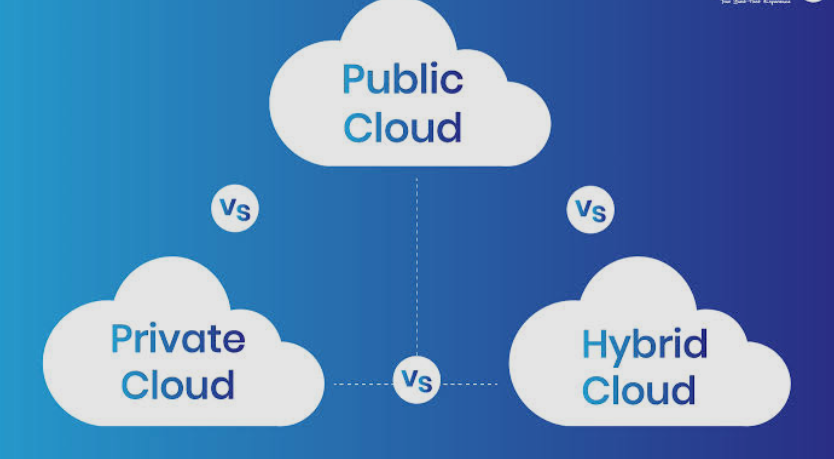
Cloud computing can be divided into several categories. The most common classification includes public cloud, private cloud, and hybrid cloud.
Public Cloud
A public cloud provides computing resources to multiple customers through a cloud provider.
The provider owns and manages the underlying hardware and infrastructure. Customers can rent services according to their requirements.
Public cloud services are popular because businesses do not need to build and maintain their own large data centers.
Public cloud environments are commonly used for websites, applications, databases, backups, development, analytics, and many other workloads.
Private Cloud
A private cloud is designed for use by a single organization.
The infrastructure may be operated by the organization itself or managed by a third-party provider. Private cloud environments can provide greater control over infrastructure and configurations.
Organizations with strict security, compliance, or customization requirements may choose private cloud solutions.
Hybrid Cloud
Hybrid cloud combines private and public cloud environments.
For example, a company might keep sensitive information in a private environment while using public cloud infrastructure for applications that need additional computing capacity.
Hybrid cloud strategies can provide flexibility, although they may also require more complex management.
Multicloud
Multicloud means using cloud services from multiple providers rather than relying on a single cloud company.
An organization might use one provider for application hosting, another for specialized analytics, and another for backup services.
Multicloud strategies can help organizations select specialized services, but managing multiple providers can increase complexity.
Cloud Computing Service Models
Cloud services are also commonly divided into three major service models: IaaS, PaaS, and SaaS.
Infrastructure as a Service (IaaS)
Infrastructure as a Service, commonly called IaaS, provides basic computing infrastructure through the cloud.
Resources can include:
- Virtual machines
- Storage
- Networking
- Firewalls
- Computing capacity
With IaaS, customers have considerable control over their operating systems and applications while the cloud provider manages the underlying physical infrastructure.
IaaS is commonly used by developers, IT departments, businesses, and organizations that need flexible computing infrastructure.
Platform as a Service (PaaS)
Platform as a Service provides an environment where developers can build, test, and deploy applications without managing all of the underlying infrastructure.
The cloud provider manages much of the infrastructure and platform environment, allowing developers to concentrate more on application development.
PaaS can make application development faster because developers do not necessarily need to configure physical servers and many low-level infrastructure components.
Software as a Service (SaaS)
Software as a Service delivers software applications over the internet.
Users generally access SaaS applications through a web browser or dedicated application.
Examples include online email platforms, project management systems, customer relationship management software, office applications, communication tools, and accounting platforms.
SaaS is one of the easiest cloud computing models for beginners to understand because users simply use the software without managing the servers behind it.
Common Examples of Cloud Computing
You may already use cloud computing without realizing it.
Cloud Storage
Cloud storage allows users to store files on remote servers and access them through the internet.
Instead of relying entirely on a computer’s hard drive, users can store documents, photos, videos, and other files online.
This can make files accessible across multiple devices.
Online Email
Modern email services commonly rely on cloud infrastructure.
Messages are stored on remote servers, allowing users to access their inboxes from computers, tablets, and smartphones.
Streaming Services
Video and music streaming platforms use large-scale cloud infrastructure and data centers to deliver content to users.
Instead of downloading an entire media library to your device, you can stream content over the internet.
Online Office Applications
Cloud-based office applications allow users to create documents, spreadsheets, and presentations through internet-connected services.
Files can often be synchronized between devices, making collaboration easier.
Website Hosting
Many websites are hosted using cloud infrastructure.
Cloud hosting can provide scalable computing resources for websites and web applications. When traffic increases, additional resources can sometimes be allocated to handle the demand.
Benefits of Cloud Computing
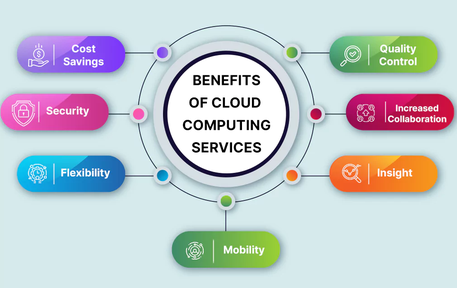
Cloud computing offers several advantages for individuals and organizations.
Lower Hardware Requirements
Businesses do not necessarily need to purchase large amounts of physical hardware for every computing requirement.
Instead, they can rent infrastructure from cloud providers.
This can reduce the initial investment required to build an IT environment.
Scalability
One of the biggest advantages of cloud computing is scalability.
A business may require only a small amount of computing power when it starts. As its customer base grows, it can increase its cloud resources.
Similarly, resources can often be reduced when demand decreases.
Accessibility
Cloud services can generally be accessed from different locations and devices as long as users have the appropriate internet connection and permissions.
This is particularly useful for remote teams and organizations with employees working from different locations.
Faster Deployment
Cloud platforms can allow organizations to create servers, databases, applications, and other resources much faster than traditional hardware deployment.
Instead of waiting for physical equipment to be purchased and installed, many resources can be configured through cloud management systems.
Automatic Updates
Many cloud-based software services handle updates automatically.
This means users may not have to manually install every software update or maintain the underlying infrastructure.
Backup and Disaster Recovery
Cloud infrastructure can be used for data backup and disaster recovery.
Organizations can maintain copies of important data in separate systems or locations. If hardware fails or another problem occurs, backups can help restore information.
Global Availability
Large cloud providers operate infrastructure in multiple geographic regions.
This allows businesses to deploy applications closer to their customers and potentially improve performance and availability.
Disadvantages of Cloud Computing
Despite its many benefits, cloud computing also has disadvantages.
Internet Dependency
Many cloud services require an internet connection.
If your internet connection is unavailable or unreliable, accessing cloud applications and data may become difficult.
Some applications offer offline functionality, but not every cloud service does.
Security Concerns
Cloud providers invest heavily in security, but customers still need to configure their accounts and applications correctly.
Weak passwords, poor access controls, misconfigured storage, and compromised accounts can create security risks.
Cloud security is therefore a shared responsibility between the provider and customer.
Ongoing Costs
Cloud computing can reduce upfront hardware expenses, but it does not mean computing is free.
Organizations may pay monthly or usage-based fees for servers, storage, databases, networking, and other services.
Poorly managed cloud resources can result in unexpectedly high bills.
Vendor Lock-In
Moving applications and data from one cloud provider to another can sometimes be complicated.
An organization that becomes heavily dependent on a provider’s proprietary technologies may find migration difficult.
Technical Complexity
Although cloud services can simplify infrastructure management, modern cloud platforms can also be highly complex.
Businesses may need trained IT professionals to manage networking, security, databases, applications, permissions, monitoring, and costs.
Cloud Computing and Traditional Computing
Traditional computing usually requires organizations to purchase and manage physical infrastructure.
For example, a company may purchase servers, install them in a data center, maintain cooling systems, replace failed hardware, and upgrade equipment as requirements change.
Cloud computing moves much of this infrastructure responsibility to a cloud provider.
Instead of buying a physical server, a company can rent a virtual server. Instead of purchasing large storage systems, it can use cloud storage.
This does not mean traditional infrastructure has disappeared. Many organizations still use physical servers, private data centers, and hybrid environments.
Cloud Computing for Businesses
Cloud computing has changed how businesses build and operate technology systems.
A small startup can use cloud infrastructure without constructing its own data center. It can launch a website, database, application, and storage system using rented resources.
As the company grows, it can increase its infrastructure capacity.
Large enterprises can also use cloud computing for application modernization, data analytics, artificial intelligence, backup systems, employee applications, and global services.
Cloud computing can therefore support organizations of very different sizes.
Cloud Computing and Artificial Intelligence
Artificial intelligence increasingly depends on cloud computing.
Training and running advanced AI models can require significant computing power, memory, storage, and specialized hardware.
Cloud providers can make these resources available to developers and businesses without requiring them to purchase and maintain expensive specialized infrastructure themselves.
Cloud-based AI services can also allow companies to add features such as natural language processing, image analysis, recommendation systems, and predictive analytics to their applications.
Cloud Security Basics
Security is an important part of cloud computing.
Cloud users should follow basic security practices such as using strong passwords, enabling multi-factor authentication, limiting user permissions, regularly reviewing access, and keeping applications updated.
Organizations should also monitor their cloud environments and protect sensitive data.
An important concept is the shared responsibility model. The cloud provider is generally responsible for securing the underlying infrastructure, while customers are responsible for securing many aspects of what they deploy and configure.
The exact responsibilities vary depending on the service and provider.
How Much Does Cloud Computing Cost?
Cloud computing costs vary considerably.
Some cloud services offer free tiers or limited free usage. Others charge based on the amount of computing resources consumed.
Common pricing factors include:
- Number of virtual machines
- Processing power
- Amount of storage
- Data transfer
- Database usage
- Number of users
- Software subscriptions
- Geographic region
- Additional security or management services
For businesses, it is important to monitor usage carefully because unused cloud resources can continue generating costs.
How to Start Learning Cloud Computing
Beginners do not need to understand everything at once.
A good learning path is to start with basic concepts such as servers, operating systems, networking, databases, storage, and virtualization.
After understanding these fundamentals, beginners can explore IaaS, PaaS, and SaaS.
The next step is learning about cloud architecture, security, identity management, databases, containers, monitoring, and automation.
Practical experience is particularly useful. Creating a small cloud-based project can help beginners understand how different services work together.
For example, you could learn how to deploy a simple website, create a virtual server, configure cloud storage, and connect an application to a database.
Cloud Computing Careers
The growth of cloud technology has created many technology career opportunities.
Some common cloud-related roles include:
- Cloud engineer
- Cloud architect
- Cloud administrator
- DevOps engineer
- Cloud security specialist
- Cloud developer
- Site reliability engineer
- Data engineer
- Cloud consultant
People entering these careers typically benefit from knowledge of networking, operating systems, programming, security, databases, and cloud platforms.
Practical projects and hands-on experience can be just as important as theoretical knowledge.
Future of Cloud Computing
Cloud computing is expected to remain an important part of modern technology.
Emerging areas such as artificial intelligence, machine learning, edge computing, Internet of Things devices, real-time analytics, and automated software development are increasing demand for flexible computing infrastructure.
Cloud platforms are also becoming more integrated with AI tools and developer services.
At the same time, organizations are paying greater attention to cloud security, cost optimization, privacy, sustainability, and data governance.
The future will likely include a combination of public cloud, private infrastructure, edge computing, and specialized computing environments.
Final Thoughts
Cloud computing is essentially a way of accessing computing resources over the internet instead of managing all of the necessary physical infrastructure yourself.
It provides access to servers, storage, databases, software, networking, development platforms, and many other technologies.
The main cloud models include public, private, hybrid, and multicloud environments, while the major service models are IaaS, PaaS, and SaaS.
For individuals, cloud computing can make files, applications, email, and other services accessible across devices. For businesses, it can provide scalable infrastructure, faster deployment, flexible costs, global availability, and access to advanced technologies.
Although cloud computing introduces challenges such as security concerns, internet dependency, ongoing costs, and technical complexity, its flexibility has made it a fundamental part of modern IT.
For beginners, the best approach is to learn the fundamentals first and then gain practical experience by working with real cloud services. Once you understand the basic concepts, technologies such as cloud databases, containers, serverless computing, cloud security, and cloud-based artificial intelligence become much easier to understand.