





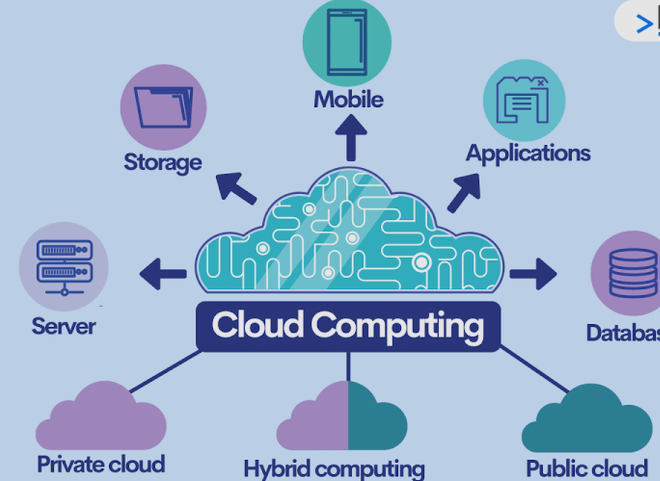
Cloud computing has changed the way businesses, organizations, and individuals use technology. Instead of depending entirely on physical computers, hard drives, local servers, and on-site data centers, cloud computing allows users to access computing resources through the internet. These resources can include storage, software, databases, servers, networking, analytics tools, and even advanced technologies such as artificial intelligence.
Today, cloud services are used by companies of all sizes as well as everyday users. People use cloud storage to save photos and documents, while businesses use cloud platforms to host websites, manage applications, store customer information, collaborate with employees, and analyze data.
The popularity of cloud computing continues to grow because it offers flexibility, scalability, convenience, and cost savings. Whether you are running a small business, managing a large organization, working remotely, or simply storing personal files online, cloud computing can provide significant advantages.
In this article, we will explore 10 major benefits of cloud computing for businesses and everyday users, along with practical examples of how these benefits can make technology easier, more affordable, and more efficient.
What Is Cloud Computing?
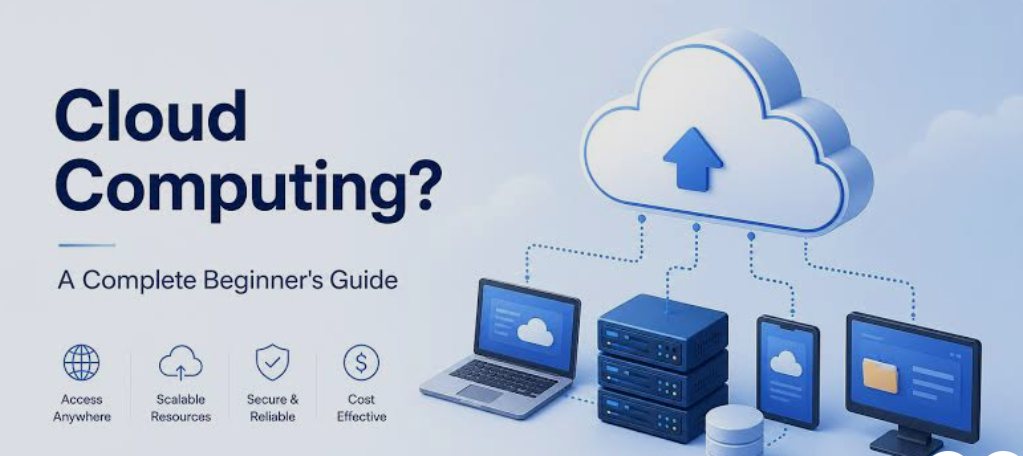
Cloud computing is the delivery of computing services over the internet. Instead of purchasing and maintaining all hardware and software locally, users can access technology resources from cloud service providers.
Common cloud services include:
- Cloud storage
- Cloud servers
- Databases
- Online software applications
- Website hosting
- Backup services
- Data analytics
- Artificial intelligence tools
- Virtual machines
- Networking services
For example, instead of saving all your photos only on your computer’s hard drive, you can store them in a cloud storage service and access them from your phone, tablet, or another computer.
Similarly, a business can host its website and applications on cloud servers rather than purchasing and maintaining physical servers in its own office.
1. Lower Technology Costs
One of the biggest benefits of cloud computing is the potential to reduce technology costs.
Traditional IT infrastructure often requires businesses to purchase expensive servers, networking equipment, storage devices, software licenses, cooling systems, and other hardware. Businesses also need employees or IT professionals to maintain this equipment.
Cloud computing changes this model. Instead of purchasing large amounts of infrastructure upfront, businesses can rent computing resources from a cloud provider and pay according to their usage or subscription.
This can reduce the need for large capital investments.
Benefits for Businesses
Small businesses especially benefit from this approach because they may not have enough money to build their own data centers. Cloud services allow them to access enterprise-level technology without purchasing expensive infrastructure.
Businesses can potentially save money on:
- Server hardware
- Data center maintenance
- Electricity
- Cooling
- Hardware upgrades
- Software installation
- IT infrastructure management
Benefits for Everyday Users
Individuals can also save money by using cloud-based applications and storage. Instead of purchasing large physical storage devices, users can choose cloud storage plans based on their needs.
Cloud computing therefore makes advanced technology accessible to users who may not want to make large upfront investments.
2. Easy Access From Almost Anywhere
Cloud computing allows users to access their information and applications from almost anywhere with an internet connection.
This is especially useful in today’s mobile and remote-working environment.
For example, a person can upload a document from a laptop and later open the same document from a smartphone or tablet. A business employee can access company applications while working from home, traveling, or working from another office.
This flexibility eliminates much of the dependence on a single physical computer.
Why Accessibility Matters
Cloud-based services can support:
- Remote work
- Business travel
- Home-based work
- Mobile productivity
- Multiple offices
- Online education
- Remote collaboration
For businesses, employees can remain productive even when they are not physically present in the company office.
For everyday users, important files such as photographs, documents, and videos can be available across multiple devices.
3. Easy Scalability
Another major advantage of cloud computing is scalability.
Traditional IT infrastructure often requires businesses to estimate their future computing requirements in advance. If a company purchases servers that are too small, it may need to buy additional hardware when demand increases.
Cloud computing allows organizations to increase or decrease resources more easily.
For example, an online store may experience a major increase in visitors during a holiday shopping season. Instead of permanently purchasing enough servers to handle the highest possible traffic, the company can increase cloud resources when demand rises.
When demand decreases, it can reduce those resources again.
Scalability for Growing Businesses
Cloud scalability is particularly valuable for startups and growing businesses.
A small company might initially require only a limited amount of storage and computing power. As the business gains customers, it can increase its cloud resources without completely rebuilding its IT infrastructure.
This makes cloud computing suitable for businesses with changing workloads.
4. Better Data Backup and Recovery
Data is one of the most valuable assets for both businesses and individuals. Losing important information because of hardware failure, accidental deletion, theft, malware, or other problems can be extremely damaging.
Cloud computing can provide reliable options for data backup and disaster recovery.
Instead of keeping the only copy of an important file on a local computer, users can maintain additional copies in cloud storage or backup systems.
Businesses can also use cloud-based disaster recovery solutions to protect critical applications and databases.
Everyday Example
Imagine that your laptop stops working and contains several years of important photographs and documents. If those files were also backed up to the cloud, you may be able to restore them from another device.
Business Example
A company could back up customer records, financial documents, application data, and other important information to a cloud-based system. If its local equipment fails, the company may be able to recover the information more quickly.
Cloud backup does not eliminate every risk, but it can provide an important additional layer of protection.
5. Improved Collaboration
Cloud computing has made collaboration much easier.
In traditional environments, employees might need to email documents back and forth or transfer files using physical storage devices. This can create multiple versions of the same document and make collaboration confusing.
Cloud-based applications allow multiple people to work with shared files and applications.
For example, team members can collaborate on documents, spreadsheets, presentations, project management systems, and other resources without necessarily being in the same physical location.
Benefits for Remote Teams
Cloud collaboration is particularly useful for distributed teams.
Employees in different cities or countries can work together using shared cloud platforms. Managers can monitor projects, employees can communicate, and teams can access the same information.
Cloud collaboration can help businesses:
- Reduce email-based file sharing
- Improve teamwork
- Reduce duplicate files
- Support remote employees
- Speed up project completion
- Improve information sharing
For students and everyday users, cloud collaboration can also make group projects and shared documents easier to manage.
6. Automatic Software Updates
Maintaining software can be time-consuming. Traditional applications may require users or IT departments to download updates, install patches, and troubleshoot compatibility issues.
Many cloud-based applications are maintained by the service provider. Updates can often be deployed centrally, meaning users can access newer versions without manually installing every update.
This is particularly useful for businesses because outdated software can create security, compatibility, and productivity problems.
Why Automatic Updates Matter
Cloud-based software can help organizations:
- Reduce manual maintenance
- Access newer features
- Improve application performance
- Address certain security vulnerabilities
- Reduce IT workload
Everyday users also benefit because many cloud applications update automatically while they continue using the service.
However, automatic updates do not mean users can ignore security completely. Strong passwords, multi-factor authentication, account monitoring, and appropriate privacy settings remain important.
7. Greater Flexibility for Remote Work
Remote work has become an important part of modern business operations, and cloud computing is one of the technologies that makes it possible.
Employees can use cloud-based applications to access documents, business systems, communication platforms, project management tools, and other resources without being physically present in the company office.
For example, a sales employee can access customer information while traveling. A designer can work with shared project files from home. A manager can review business reports remotely.
Benefits for Employers
Cloud-enabled remote work can help businesses:
- Hire employees from wider geographic areas
- Support flexible working arrangements
- Reduce dependence on physical offices
- Maintain productivity during disruptions
- Improve employee flexibility
Benefits for Employees
Employees can potentially work from:
- Home
- Coworking spaces
- Different company offices
- Hotels
- Other suitable locations
This flexibility can improve productivity for people whose jobs do not require them to be physically present at a specific location.
8. Access to Advanced Technology
Cloud computing gives businesses and individuals access to technologies that might otherwise be expensive or difficult to operate.
Cloud platforms can provide access to advanced computing capabilities such as:
- Artificial intelligence
- Machine learning
- Big data analytics
- High-performance computing
- Automated databases
- Advanced security systems
- Developer tools
A small business may not have the budget to purchase specialized hardware for advanced data processing. Cloud services can provide access to computing resources when they are needed.
Why This Is Important
Cloud computing helps reduce the gap between large organizations and smaller businesses.
A startup can use cloud-based databases, analytics platforms, artificial intelligence services, and application hosting without building a massive infrastructure from scratch.
This can encourage innovation and allow smaller companies to experiment with new technologies.
9. Better Business Continuity
Unexpected events can interrupt business operations. These events can include hardware failures, power problems, natural disasters, cyber incidents, network problems, or other disruptions.
Cloud computing can help organizations build business continuity strategies by allowing applications and data to be hosted or backed up outside a single physical location.
For example, if an office becomes temporarily unavailable, employees may still be able to access certain cloud-based systems from another location.
Business Continuity Benefits
Cloud services can help businesses:
- Maintain access to important applications
- Protect important data
- Support remote operations
- Recover from infrastructure failures
- Reduce dependence on one physical location
A proper business continuity strategy should still include backup planning, security controls, recovery procedures, and regular testing.
Cloud computing is a tool that can support continuity rather than a complete continuity plan by itself.
10. Convenience and Productivity
Perhaps the most noticeable benefit of cloud computing for everyday users is convenience.
People use cloud technology every day, sometimes without even realizing it.
Examples include:
- Storing photographs online
- Streaming music and videos
- Using online email
- Synchronizing contacts
- Saving documents
- Using online calendars
- Backing up smartphones
- Accessing web-based applications
Cloud services reduce the need to manually transfer files between devices.
For example, you can take a photograph on your smartphone and later access it from another connected device if your chosen service synchronizes the photo.
Businesses experience similar productivity benefits. Employees can access applications and information without depending entirely on office-based hardware.
When technology removes repetitive manual tasks, employees can spend more time on important business activities.
Cloud Computing Benefits for Small Businesses
Small businesses can benefit significantly from cloud technology because they often have limited IT budgets.
A small company may not be able to afford a dedicated data center or a large IT department. Cloud services allow it to access computing resources through flexible plans.
Important benefits include:
Reduced Infrastructure Investment
Businesses can avoid purchasing large amounts of hardware at the beginning.
Flexible Growth
Resources can often be adjusted as the company grows.
Remote Access
Employees can access supported applications from different locations.
Professional Software
Small businesses can use cloud-based accounting, customer management, communication, marketing, and productivity applications.
Easier Backup
Cloud backup solutions can provide additional protection for important business data.
These advantages can allow small companies to compete more effectively without spending all their resources on IT infrastructure.
Cloud Computing Benefits for Large Businesses
Large organizations often have complex technology requirements. Cloud computing can help them manage changing workloads, large datasets, multiple locations, and large numbers of users.
Large businesses may use cloud infrastructure for:
- Application hosting
- Data analytics
- Customer platforms
- Artificial intelligence
- Backup and disaster recovery
- Global application delivery
- Development and testing
Large organizations can also use a combination of cloud environments and existing infrastructure to create technology strategies that match their specific requirements.
Cloud Computing Benefits for Students and Everyday Users
Cloud computing is not limited to companies.
Students use cloud services for online classes, document storage, collaborative projects, research, and communication.
Everyday users rely on cloud services for personal files, photographs, email, entertainment, calendars, and device synchronization.
Some of the most useful advantages include:
- Access to files from multiple devices
- Convenient backups
- Easy file sharing
- Online collaboration
- Reduced dependence on physical storage
- Access to applications through the internet
As internet-connected devices become more common, cloud computing is becoming increasingly integrated into everyday digital life.
Are There Any Disadvantages to Cloud Computing?
Although cloud computing provides many benefits, it also has potential disadvantages.
Internet Dependence
Many cloud services require a reliable internet connection. If connectivity is unavailable, access to certain services may be limited.
Security and Privacy Concerns
Moving information to the cloud means organizations must carefully manage security, permissions, passwords, authentication, and data protection.
Service Outages
Cloud providers can experience technical problems. Businesses should plan for outages involving critical services.
Ongoing Costs
Cloud services usually involve recurring costs. Poor resource management can cause unnecessary expenses.
Vendor Lock-In
Moving applications or data from one cloud provider to another can sometimes be complicated.
These challenges do not make cloud computing unsuitable. Instead, they highlight the importance of selecting appropriate services and managing cloud environments carefully.
How to Choose the Right Cloud Services
Before adopting a cloud service, businesses and individuals should consider several factors.
Security
Check what security controls are available, including encryption, authentication, access management, and monitoring.
Pricing
Understand whether the service uses subscriptions, usage-based pricing, storage-based pricing, or another model.
Storage Requirements
Consider how much data you currently have and how quickly your storage needs may grow.
Performance
Businesses should evaluate whether the service can provide enough performance for their applications and users.
Reliability
Look at the provider’s reliability commitments and available backup or recovery options.
Scalability
Choose services that can grow with your requirements.
Compatibility
Make sure the cloud service works with the devices, software, applications, and workflows you already use.
The Future of Cloud Computing
Cloud computing is likely to remain a major part of the technology industry. As businesses generate more data and adopt technologies such as artificial intelligence, automation, analytics, and connected devices, demand for flexible computing infrastructure will continue.
Future cloud environments are likely to become increasingly automated and intelligent.
Businesses may use cloud platforms to process large amounts of information, automate workflows, develop applications, and deploy advanced AI systems.
Individuals will also continue using cloud technology for personal storage, communication, entertainment, productivity, and digital services.
The distinction between local computing and cloud computing may become less noticeable as applications increasingly combine local devices with internet-based services.
Conclusion
Cloud computing has transformed how businesses and individuals access technology. Instead of relying entirely on physical infrastructure, users can access computing resources, applications, storage, and other services through the internet.
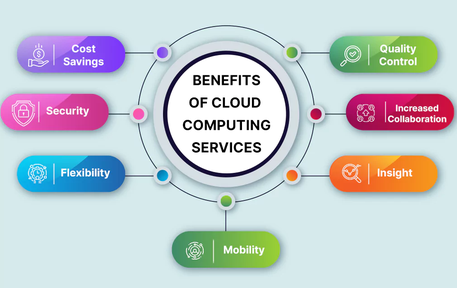
The 10 major benefits of cloud computing include lower technology costs, easy accessibility, scalability, better backup and recovery, improved collaboration, automatic software updates, remote-work flexibility, access to advanced technology, business continuity, and greater convenience and productivity.
For businesses, cloud computing can make technology more flexible and scalable while reducing the need for large upfront infrastructure investments. For everyday users, it provides convenient ways to store files, synchronize information, collaborate, and access digital services across multiple devices.
However, successful cloud adoption requires careful attention to security, privacy, costs, reliability, and data management.
Overall, cloud computing is no longer simply an alternative to traditional IT infrastructure. It has become an essential part of modern digital life, helping organizations and individuals use technology more efficiently, flexibly, and conveniently.